
Connect your Xero organisation
Connect Shiftly to your Xero organisation, then work through the Xero setup so pay, staff and leave line up.
Connecting Xero lets Shiftly send approved timesheets and leave to Xero Payroll and bring your Xero staff and leave types across. This guide covers making the connection and the setup that follows.
Who this is for
Owners and managers using the Shiftly web platform who run payroll in Xero.
Before you start
- You need a Xero organisation with Xero Payroll set up, and permission in Xero to connect apps to it.
- In Shiftly, you need permission to change business settings.
- Open the account menu (your initials, top right) → Integrations. You can also get there from Business settings → Integrations, the Connect to Xero banner on the roster, or Connect to payroll on the People page.
Connect Xero
Find the Xero card
The Integrations page lists the services Shiftly connects to. Until you connect, the Xero card has a Get started link. Select it. (The screenshot shows a business that's already connected, so its card shows the organisation name and Manage connection instead.)
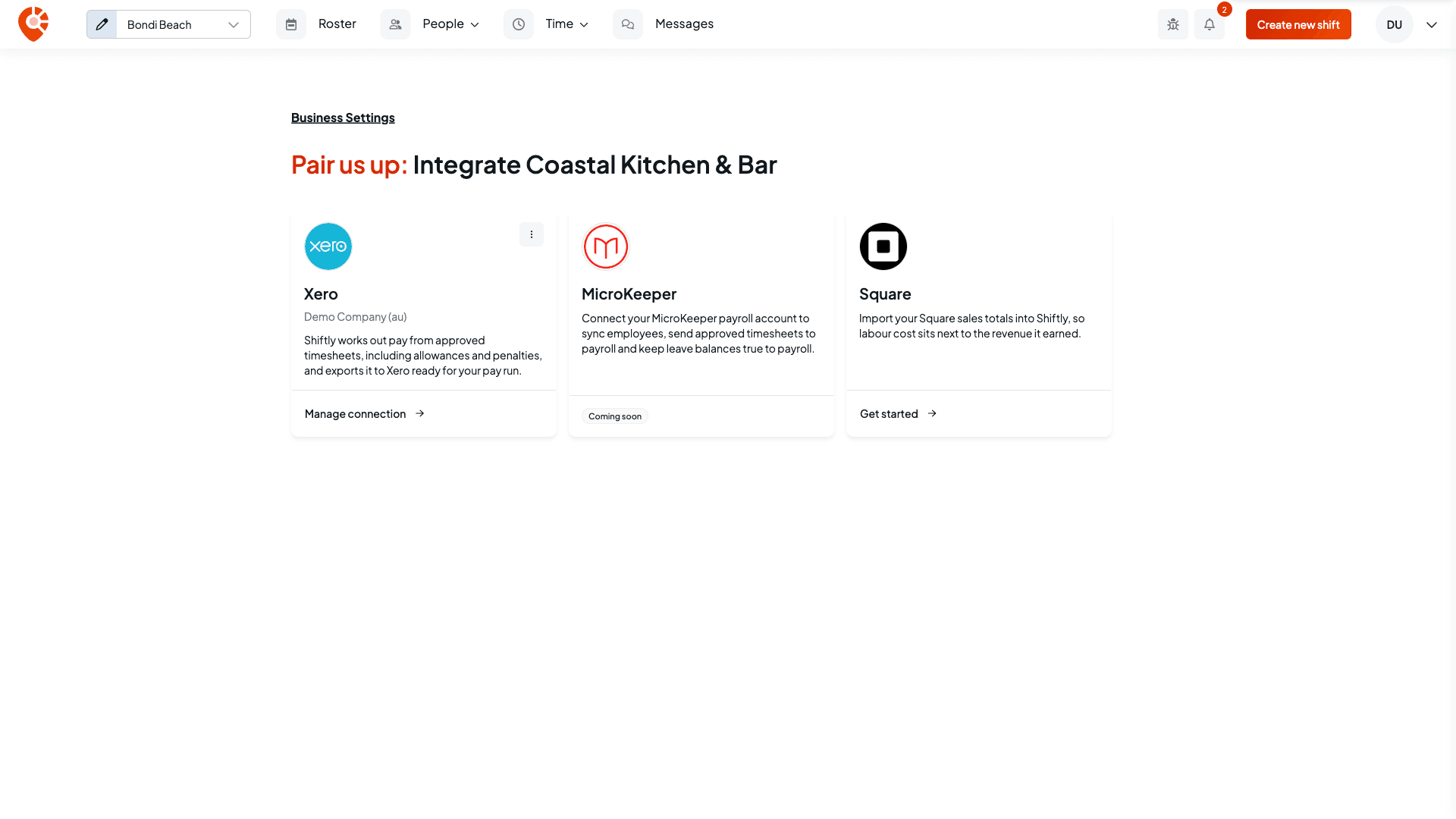
A business connects to one payroll system at a time. MicroKeeper shows Coming soon. Square imports sales rather than payroll.
Sign in to Xero
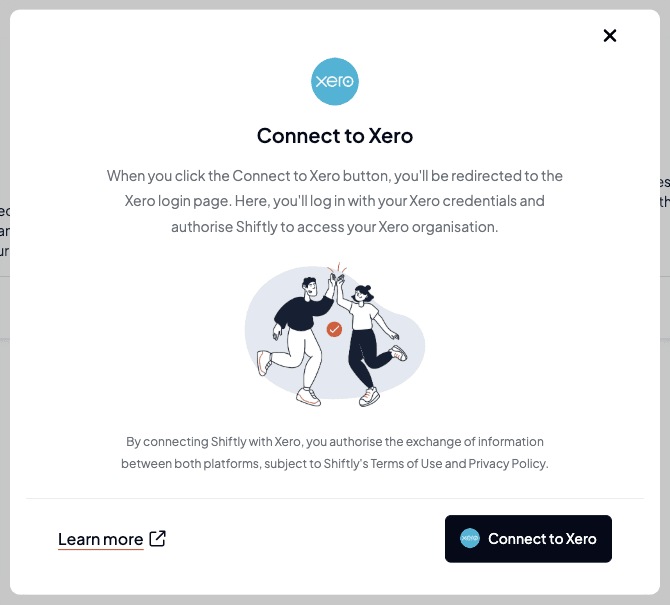
Connect to Xero explains what happens next. Select the Connect to Xero button. You're taken to Xero to sign in and approve Shiftly's access to your organisation, then returned to Shiftly.
Choose the organisation
If you approved one organisation, Shiftly connects it to this business straight away. If you approved more than one, Shiftly asks Which organisation is followed by your business name. Pick the organisation this business runs its payroll through and select Connect organisation. An organisation that's already connected to another of your businesses is shown but can't be picked.
Shiftly then opens the Xero setup. See Finish the Xero setup.
Only organisations with Xero Payroll switched on can be connected. If Payroll isn't set up in an organisation yet, open the Payroll tab in Xero once, then connect again. If you don't have payroll access in Xero, Shiftly tells you so. If an organisation is already connected to a different business, Shiftly tells you which one, and you need to disconnect it there first.
What changes when you connect
- Leave types come from Xero. Shiftly brings your Xero leave types across straight away, and from then on they're managed in Xero. See Set up leave types and balances.
- Pending leave requests are cancelled. If your business was managing leave in Shiftly, every pending leave request is cancelled when you connect, and the staff member is asked to send it again.
Finish the Xero setup
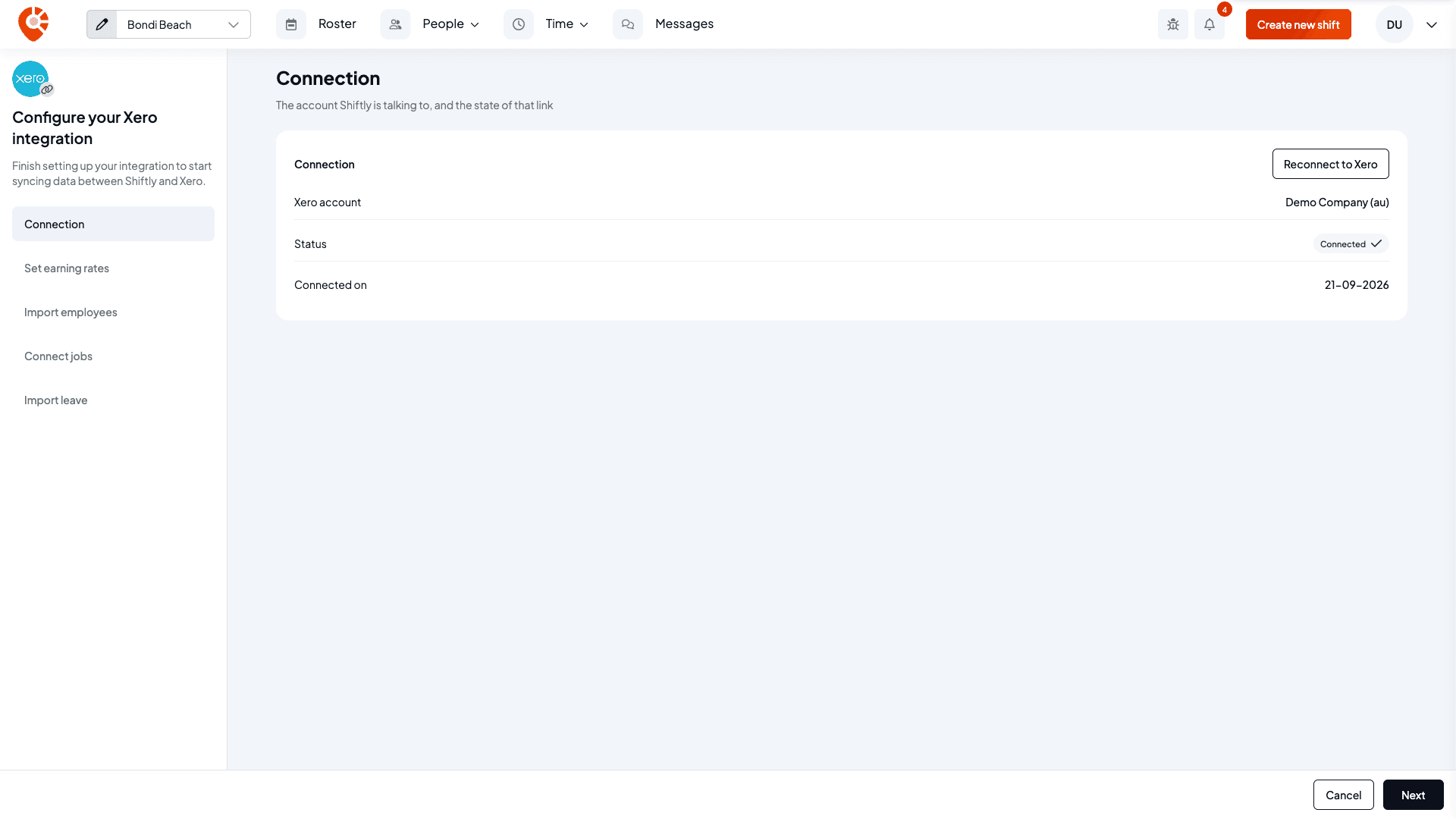
The setup has a list of steps down the side, under Configure your Xero integration. Shiftly skips any step it has nothing to show for, for example Tags to tracking when your Xero organisation has no tracking options.
Connection
Shows the Xero organisation Shiftly is connected to, its status and the date it was connected, with Reconnect to Xero. Select Next.
Set earning rates
Pick your payroll calendar, match your pay categories to Xero earnings rates, and choose your wages and super accounts. See Set up pay settings for Xero.
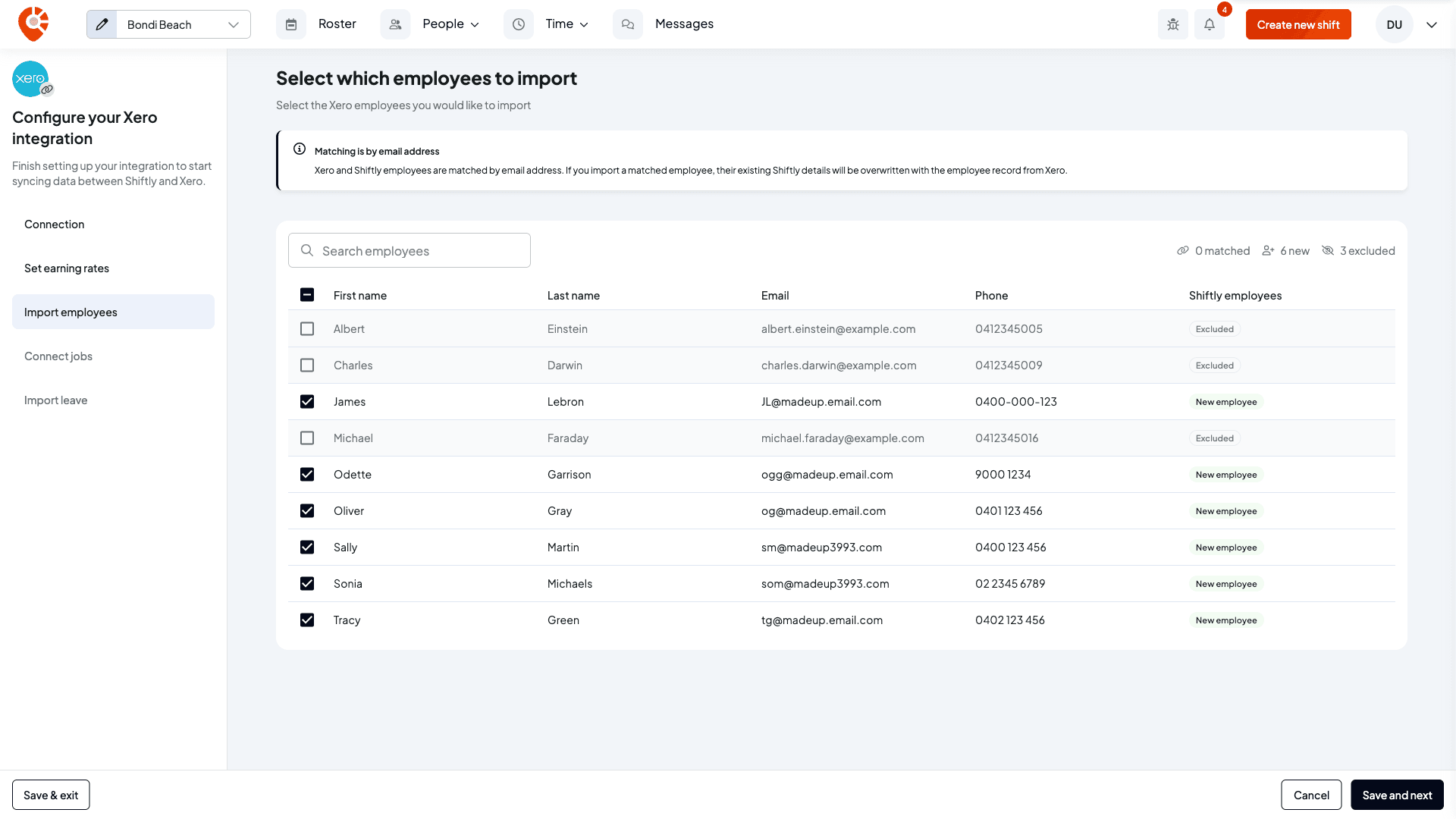
Import employees
Select which employees to import lists the staff in your Xero organisation. New staff are ticked for you. Staff already in Shiftly are matched by email address and start unticked, because importing them replaces their Shiftly details with their Xero record. Anyone without an email address in Xero can't be imported. See Import staff from Xero.
Tags to tracking
Pair tags with Xero tracking options lists the options in your Xero tracking categories, so each timesheet line can post with the option paired with its tag. Pick the Shiftly category in Category that maps to Xero tracking, then tick the options you want. A ticked option with no tag becomes a new tag with the same name in that category. An option that's already paired shows its tag. The step only appears once your business has a tag category and your Xero organisation has tracking options; until then the setup skips it. You can finish the setup and come back, and timesheet lines post untracked until you pair them. See Pair tags with Xero tracking options.
Import leave
Import leave types and rules shows the leave types Shiftly will bring in from Xero. Importing replaces your Shiftly leave types, and from then on you manage them in Xero.
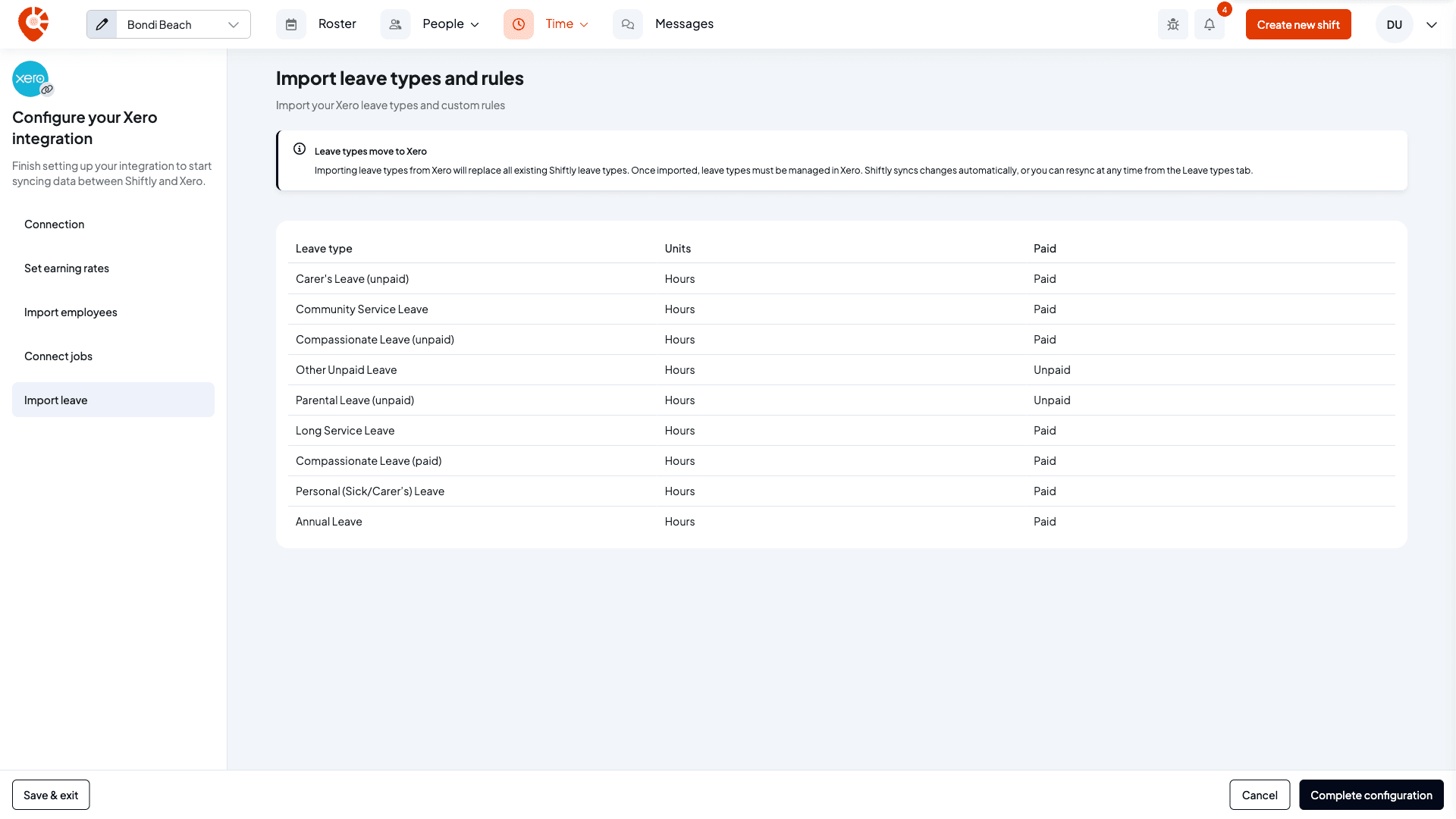
Select Save and next to save each step and move on, and Complete configuration on the last one. Save & exit keeps your place so you can pick up later from Integrations.
Manage the connection later
Once you're connected, the Xero card shows your organisation's name and Manage connection, which reopens the setup. Its menu has Reconnect to Xero, Refresh leave catalogue and Disconnect Xero. See Manage or disconnect your Xero connection.
Related
Set up pay settings for Xero
Pick the payroll calendar, earnings rates and accounts Shiftly posts into.
What syncs with Xero
Which data flows between Shiftly and Xero, and when.
Manage or disconnect your Xero connection
Reconnect, refresh your leave types, switch organisation or disconnect.
Connect Shiftly to Xero
The whole path from connecting to posting your first timesheets.
Connect Shiftly to Xero
The whole path from connecting your Xero organisation to posting your first timesheets, in order, with a link to the full guide for each step.
Set up pay settings for Xero
Pick the Xero payroll calendar, earnings rates and accounts Shiftly posts into, choose whether timesheets arrive as drafts or approved, and understand what happens in Xero when you post.