
Set up leave types and balances
Choose the leave types your business offers, add your own, and set or correct each employee's leave balance.
Your leave types are the kinds of leave staff can ask for, and each employee has a balance for each type. This guide covers the list of leave types, adding your own, choosing which types each employee can request, and setting or correcting their balances.
Who this is for
Owners and managers using the Shiftly web platform.
Before you start
- Open the account menu (your initials, top right) → Leave Types. You can also get there from Business settings → Leave types, or with Manage leave types on Time → Leave.
- If your business is connected to Xero, leave types and balances come from Xero. See When Xero manages your leave.
Your leave types
Standard leave types are the ones set by legislation and awards, such as annual, personal and carer's, long service, compassionate and parental leave. Custom policies are the types you create. Each row shows whether the leave is paid, how it builds up (for example 152 hrs / year), when its cycle resets, any leave loading, and who it's available to when that isn't everyone. A type with no accrual set shows Not configured.
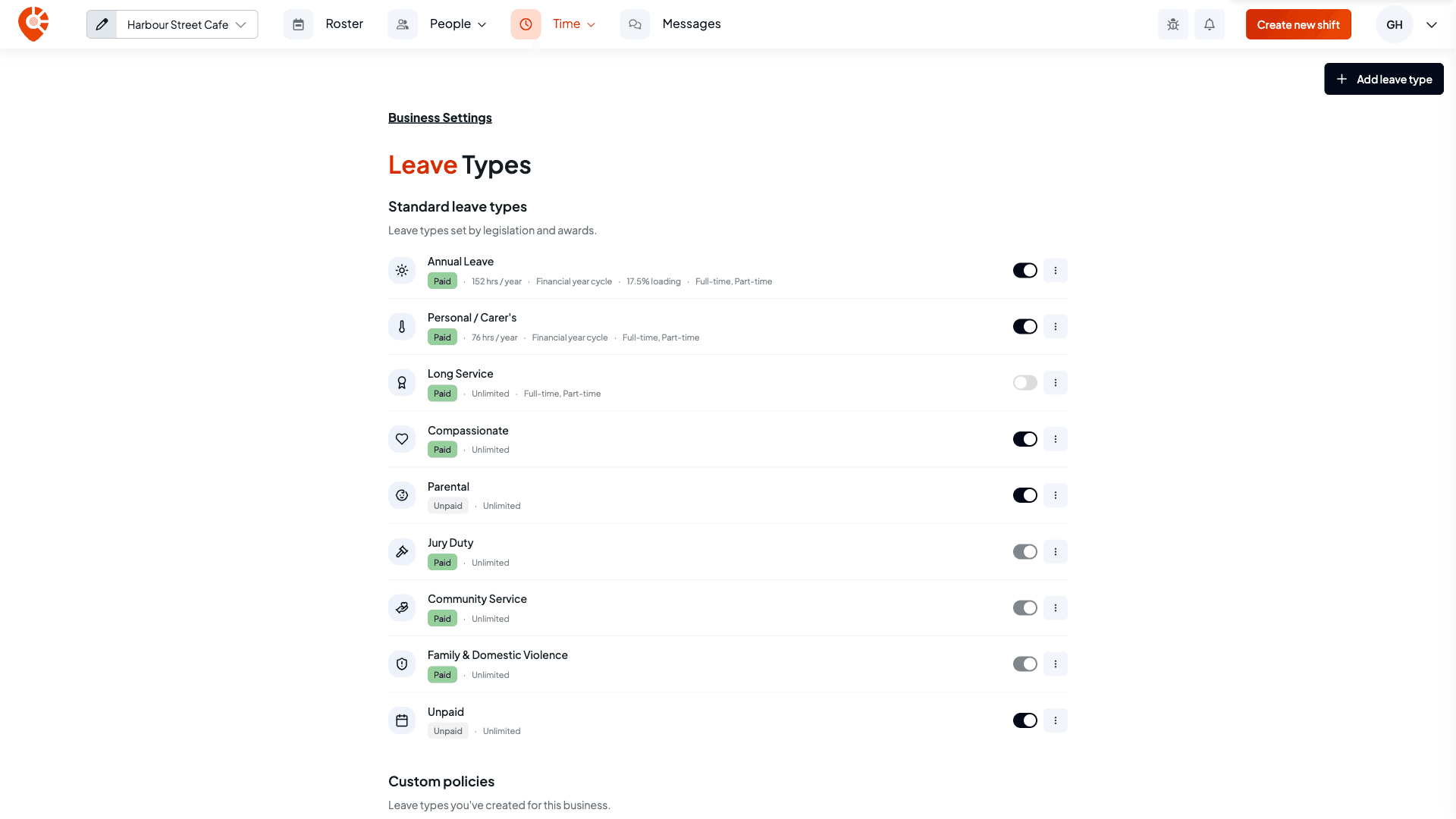
Select a row, or choose Configure from its menu, to change how it builds up. See Set how leave builds up.
Turn a leave type off
Use a row's switch to turn a type off for the whole business. You're asked to confirm, then it's hidden from new leave requests for everyone. Existing balances and past requests are kept, and you can turn it back on at any time.
Jury duty, community service leave, and family and domestic violence leave are a legal entitlement, so their switches are locked on.
Add your own leave type
Select Add leave type. Give it a Leave type name, choose whether it's Paid leave, and tick who it's Available to (Full-time, Part-time, Casual, Labour hire, Non-employee). Then set how it builds up. See Set how leave builds up.
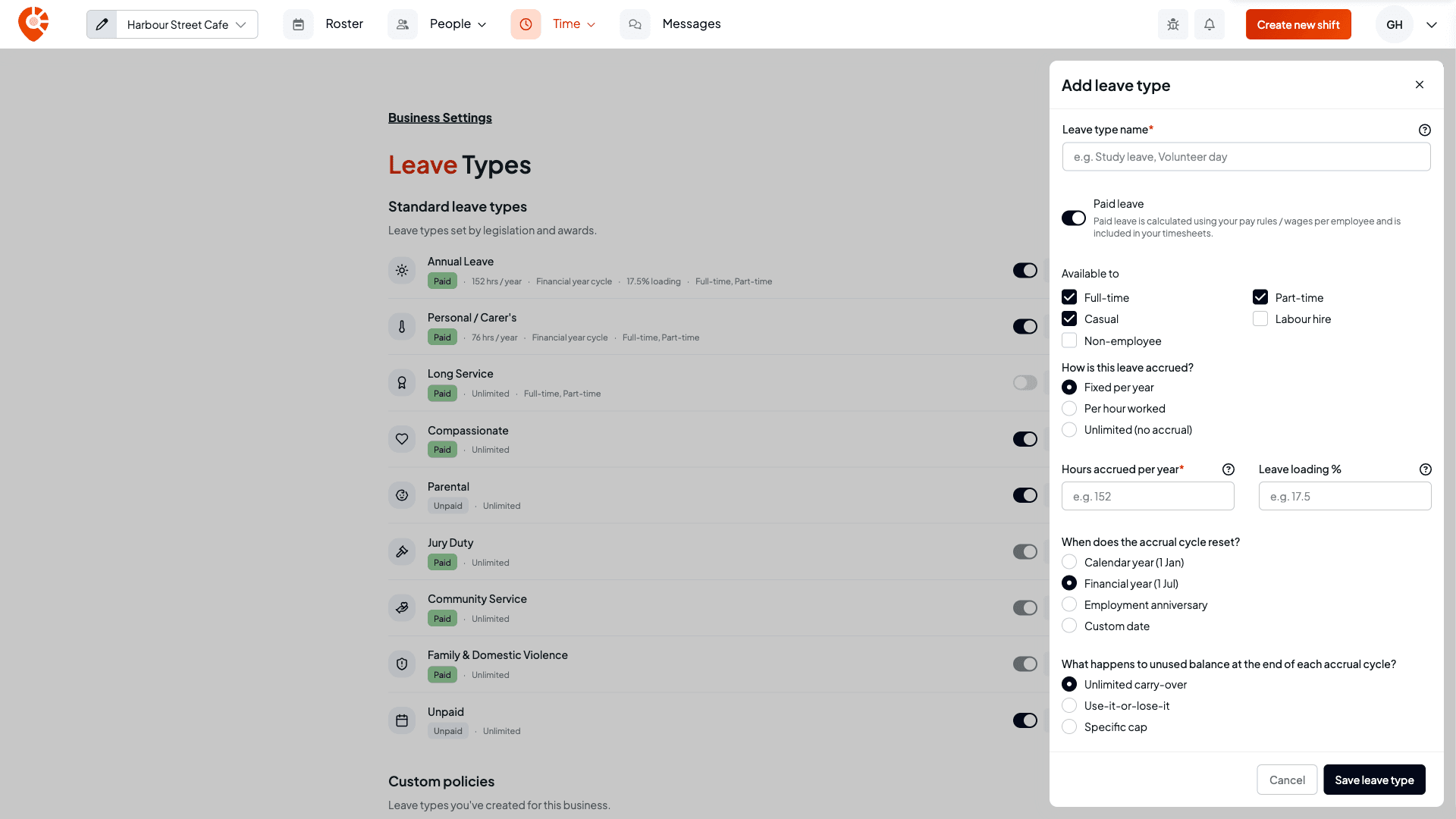
To remove a type you created, choose Delete from its menu and confirm. It's removed from new requests, and existing balances and history are kept. Standard leave types can't be deleted. Turn them off instead.
Choose what each employee can request
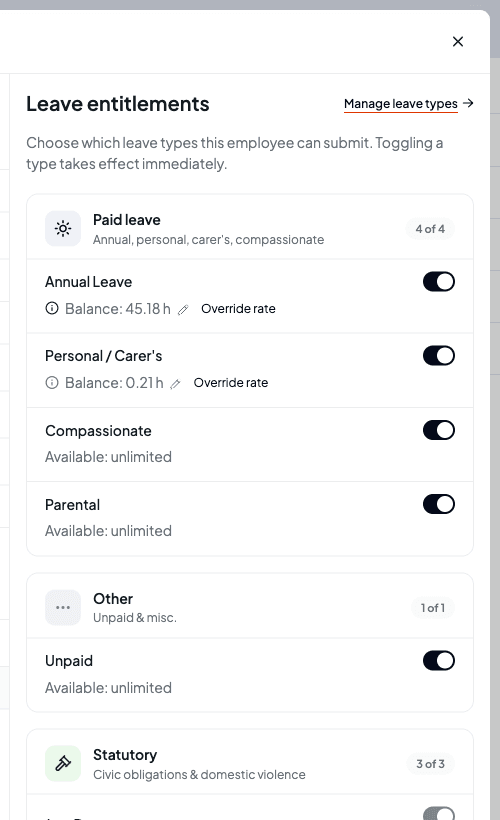
Open People → Employees, select an employee, then Leave. Leave entitlements lists every leave type, grouped into Paid leave, Statutory and Other. Each type has a switch that decides whether this employee can request it. A change takes effect straight away. Statutory types are always on.
Set or correct a balance
Each type the employee can request shows their current Balance. Hover the info icon beside it to see how it was worked out: the current cycle, carried forward, accrued this cycle, leave taken this cycle, manual adjustments, pending requests and what's available. Leave types with no limit show Available: unlimited.
Select the balance
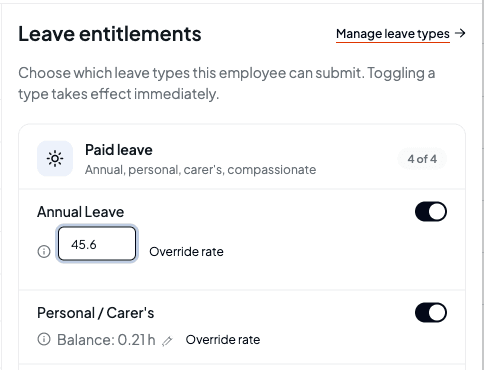
On the employee's Leave tab, select the Balance figure for the leave type. If a balance hasn't been set up yet, it reads Set opening balance instead. Set one when you move staff over from another system.
Type the right figure
Type the balance in hours and press Enter. Shiftly records the difference as a manual adjustment (or as the opening balance), so the history stays intact.
Confirm a negative balance
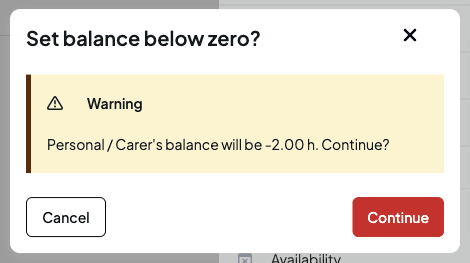
If the new balance is below zero, Shiftly asks Set balance below zero? first. Select Continue to save it, or Cancel to leave the balance as it was.
To change how an employee's leave builds up from now on, rather than fixing today's figure, use Override rate under the balance. See Give an employee a different leave rate.
When Xero manages your leave
Everything above is for businesses that aren't connected to Xero. When you connect Xero and move your leave onto it, Xero becomes the home of your leave types and balances, and Shiftly reads them from there.
When your business is connected to Xero, your leave types come from Xero:
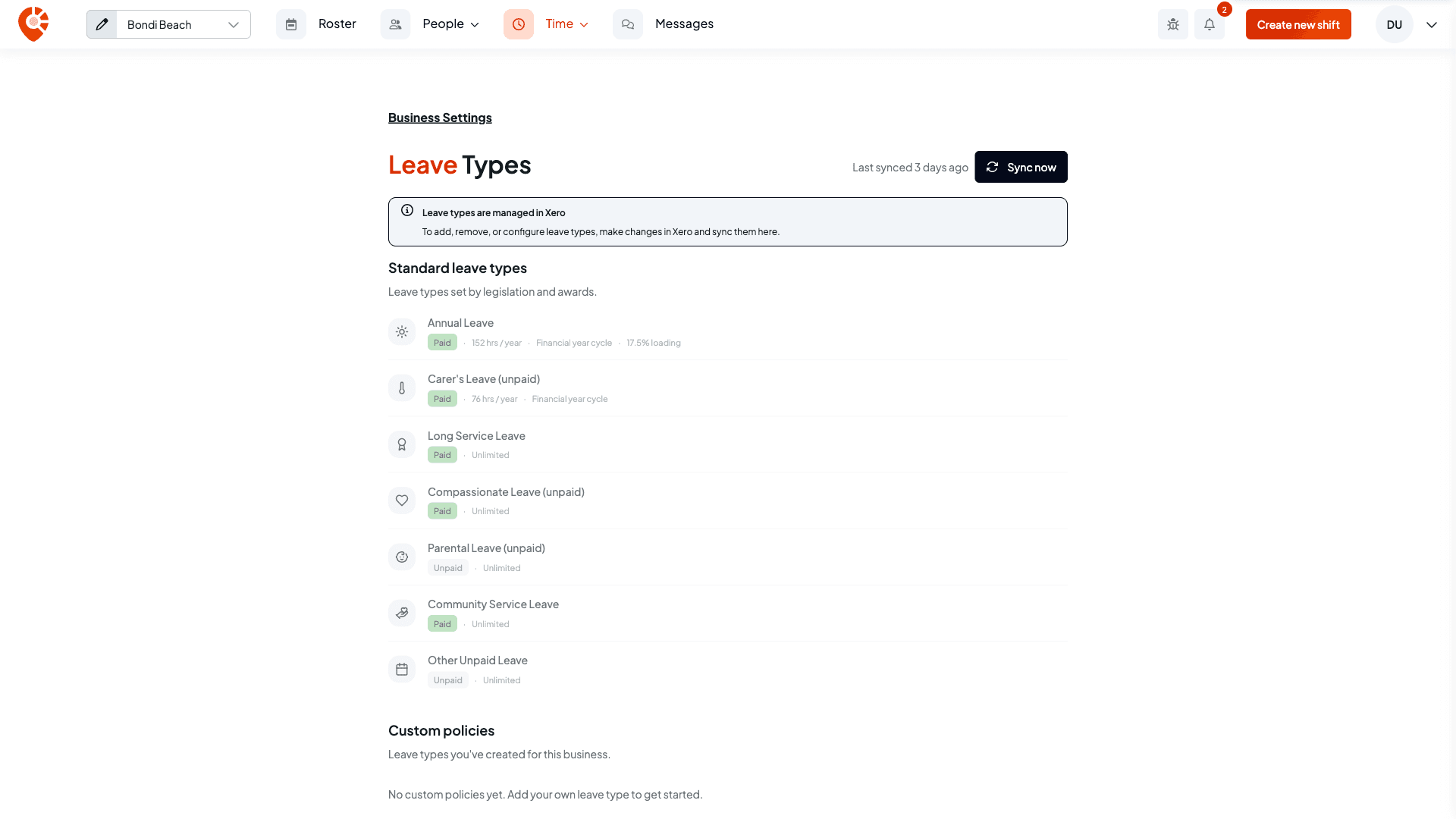
- The Leave Types page says Leave types are managed in Xero. You add, remove and configure leave types in Xero, not in Shiftly, so Add leave type and the row controls are gone.
- Select Sync now to pull the latest leave types from Xero. The page shows when they were last synced. Shiftly also refreshes them once a month.
On an employee's Leave tab:
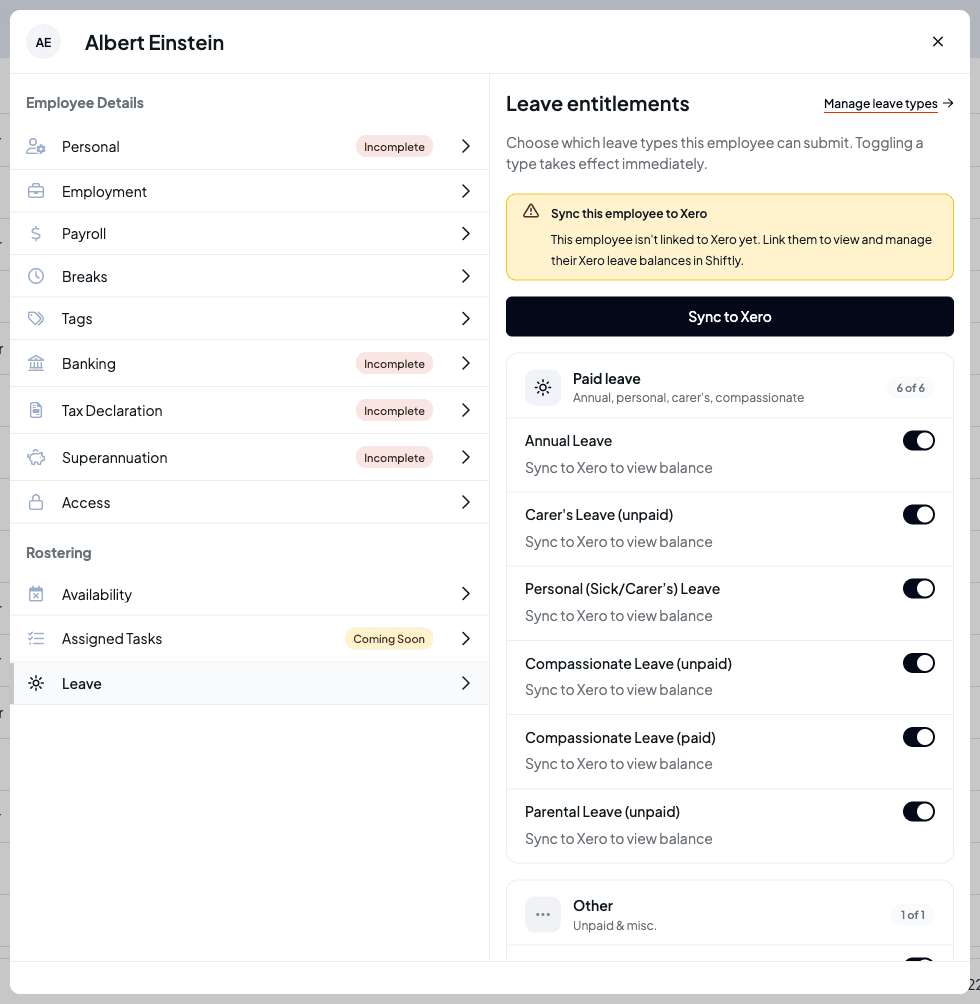
- If they aren't linked to Xero yet, you'll see Sync this employee to Xero with a Sync to Xero button, and each balance reads Sync to Xero to view balance.
- Once they're linked, the tab says Xero manages balances, Shiftly manages access. Balances are read from Xero, so you change them in Xero rather than in Shiftly. A type Xero isn't tracking for them shows Not assigned in Xero.
- The switches still decide which leave types they can request.
See What syncs with Xero.
Related
Leave management
Approve leave, manage balances, and control when leave can be taken. Set up leave types, tune how balances accrue, action requests, and block time off during busy periods.
Set how leave builds up
Set how a leave type builds up (method, rate, loading, cycle reset, carry-over, and request gating) and understand exactly how the numbers work, with examples and edge cases.