
Set how leave builds up
Set how a leave type builds up (method, rate, loading, cycle reset, carry-over, and request gating) and understand exactly how the numbers work, with examples and edge cases.
A leave type's accrual policy decides how much leave staff build up, how fast, and what happens to unused balance when the year rolls over. You set it once per leave type and it applies to everyone on that type, with per-employee exceptions handled by entitlement rates.
This is the most detailed area of leave, so this guide explains not just the options but how the maths actually works, with worked examples and the edge cases that catch people out.
Who this is for
Owners and managers using the Shiftly web platform.
Before you start
- Open Business settings → Leave types and select a leave type to open its editor.
- Balances are always shown as at today and recalculated live: there's no overnight job. Changing a policy updates everyone's balance the moment it takes effect.
Configure accrual
Choose the accrual method and rate
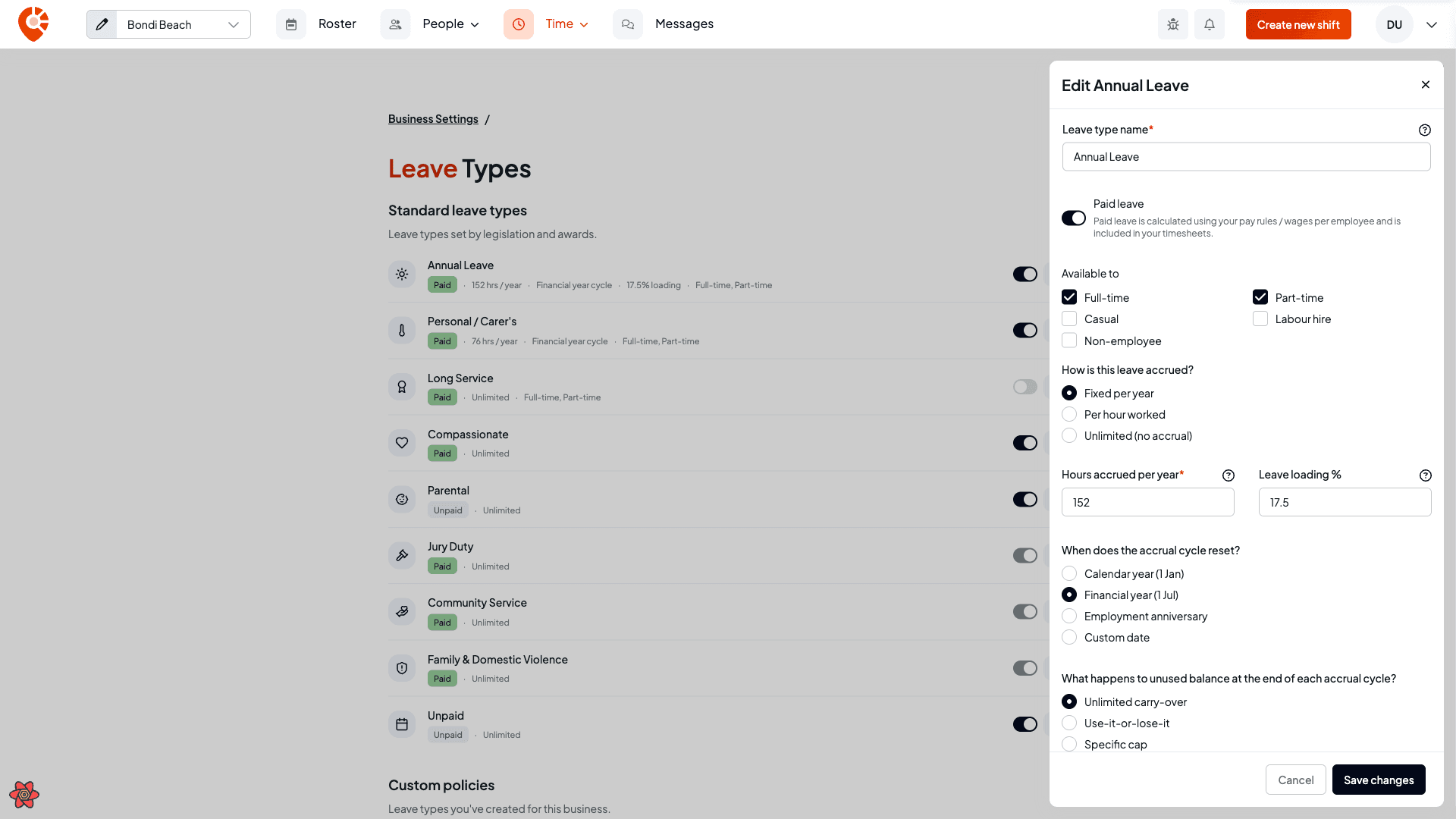
Pick how the leave accrues: Fixed per year, Per hour worked, or Unlimited (no accrual). For the first two, set the rate and any leave loading %.
Then set when the accrual cycle resets (Calendar year, Financial year, Employment anniversary, or a Custom date) and what happens to unused balance at the end of each cycle: Unlimited carry-over, Use-it-or-lose-it, or a Specific cap.
Set request gating
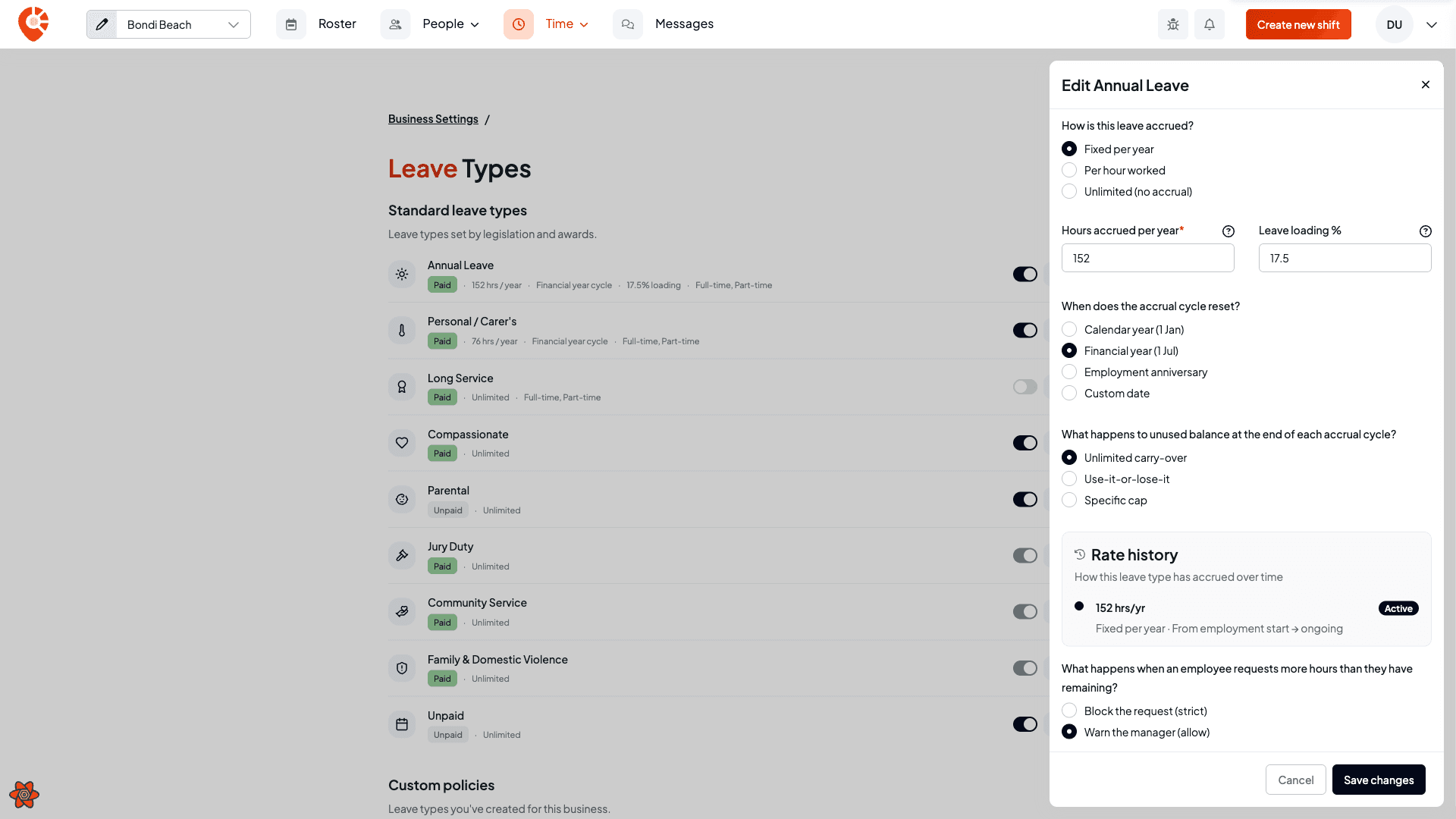
Choose what happens when an employee requests more hours than they have left: Block the request (strict) or Warn the manager (allow).
How each method builds up leave
The method controls what the rate means and how a balance grows over time.
Fixed per year
The rate is a number of hours per year (at full time), and leave builds up steadily across the cycle, not in one lump at the start. The balance at any moment is the share of the year that has passed, times the rate, adjusted for how much the employee works:
hours so far = rate × (days elapsed in the cycle ÷ days in the cycle) × (their weekly hours ÷ 38)
Full time is treated as 38 hours a week.
Example: full-time employee, 4 weeks annual leave. Annual leave at 152 hours/year (4 × 38), calendar-year cycle. By 30 June (181 of 365 days in), a full-time employee has accrued:
152 × 181/365 × 1.0 = about 75.4 hours so far, on track for 152 by 31 December.
Example: part-time employee. Same 152 hours/year policy, but the employee works Mon–Wed, 22.8 hours a week. Their pro-rata factor is 22.8 ÷ 38 = 0.6, so across a full year they accrue:
152 × 0.6 = 91.2 hours, and proportionally less at any point mid-year.
Per hour worked
The rate is hours of leave earned per hour worked, and leave builds up from approved timesheets only. Pending or rejected timesheets don't count, and there's no pro-rata (the hours worked already reflect how much they do).
Example. A leave type set to 0.076 hours per hour worked. An employee with 100 approved hours in the cycle has accrued 100 × 0.076 = 7.6 hours of leave. Approve more of their timesheets and the balance ticks up; it never counts a timesheet twice.
Unlimited (no accrual)
No balance is tracked: the leave is always available. This is for types like compassionate, jury duty, parental, community service, family & domestic violence, and unpaid leave. Choosing Unlimited clears the rate (there's nothing to accrue).
Leave loading is a pay top-up (commonly 17.5% on annual leave), not extra hours. It's recorded on the policy and flows through to pay, but it does not change the balance: an employee on 152 hours/year still accrues 152 hours; the loading is added to what those hours are paid, handled in payroll.
When the cycle resets, and what carries over
The cycle is the window leave accrues across before it rolls over. The reset option sets when that happens:
| Reset option | Cycle runs |
|---|---|
| Calendar year | 1 January → 31 December |
| Financial year | 1 July → 30 June (Australian FY) |
| Employment anniversary | The employee's start date, year on year |
| Custom date | A month and day you choose |
At the reset, the unused balance rolls forward subject to the carry-over rule. It is not wiped (unless you've chosen use-it-or-lose-it), and the new cycle starts accruing on top.
Carry-over options:
- Unlimited carry-over: the whole balance rolls into the next cycle. Nothing is lost.
- Use-it-or-lose-it: the balance resets to 0 at the end of each cycle.
- Specific cap: only up to the cap rolls over; anything above it is dropped.
Example: a 40-hour cap. An employee ends the cycle with 60 hours unused and the cap is 40. They start the new cycle with 40 hours carried; the extra 20 hours are forfeited. End with 30 hours under the same cap and all 30 carry. The cap only bites when you're above it.
Request gating
Gating decides what happens when someone asks for more than their available balance (balance minus anything already pending):
- Block the request (strict): the employee can't submit leave they don't have. They're stopped at request time.
- Warn the manager (allow): the request goes through; the approval panel shows the balance going negative so you can decide. A manager can still approve it.
Managers always see the real impact on the panel. Gating only changes whether the employee is stopped up front.
Changing a policy is always forward-dated
Leave accrues forward in time, so a rate, cycle, or carry-over change can never apply retroactively: it would silently rewrite balances staff may have already planned around. Every change needs an effective from date in the future (tomorrow onwards). Save a change dated today or earlier and Shiftly stops you with "A leave policy change must take effect from a future date."
The Rate history timeline shows the rate that's active now and any upcoming change. You can cancel a pending change any time before it takes effect; once a change is active or in the past, it's locked: you layer a new future change on top rather than editing history.
Example: a mid-year rate rise. A leave type accrues 120 hours/year on a calendar cycle. On 1 September you raise it to 240 hours/year. Shiftly splits the year at that date and accrues each part at its own rate:
- 1 Jan → 31 Aug (243 days):
120 × 243/365= about 79.9 hours - 1 Sep → 31 Dec (122 days):
240 × 122/365= about 80.2 hours - Total for the year ≈ 160 hours: the old rate up to the change, the new rate after it. Nothing before 1 September is recalculated.
Edge cases worth knowing
- Part-time staff accrue pro-rata. Accrual scales by
weekly hours ÷ 38, so someone on 19 hours a week earns half of a full-timer on the same policy. Set their actual ordinary hours on the employment for this to be right. - A mid-cycle change from full-time to part-time is handled like a rate change: each part of the cycle accrues at that period's hours. Three months full-time then nine months at 19 hours a week earns roughly
152 × 90/365 × 1.0 + 152 × 275/365 × 0.5≈ 94 hours for the year, not the full 152. - Casual, labour-hire and non-employee staff don't accrue annual, personal/carer's, long service or compassionate leave. These are permanent-only. Their balance stays nil until their basis changes to permanent.
- When your business manages leave in Xero, native accrual stops. Balances come from Xero instead, and these accrual settings no longer drive the numbers. See What syncs with Xero.
- One-off corrections don't belong here. To fix a single balance (an opening balance, a correction), use the inline balance adjustment, not a policy change. See Leave balances & catalog.
If you set a paid leave type below its National Employment Standards minimum (152 hours a year for annual leave, 76 hours for personal/carer's), Shiftly flags it, but still lets you save, since some awards and agreements differ.
Related
Set up leave types and balances
Choose the leave types your business offers, add your own, and set or correct each employee's leave balance.
Give an employee a different leave rate
Give one employee a different accrual rate from the standard policy, forward-dated, and understand exactly what it changes, with examples and edge cases.