
Inviting managers
Invite someone to help manage your business, and choose which venues they cover and what they can see and change.
Invite someone to manage your business alongside you. You choose which venues they cover and what they're allowed to see and change, and they get an email to sign in and get started.
Who this is for
Owners, and managers whose access includes editing Manage team access.
Before you start
- Open the account menu (your initials, top right) and choose Manage Access.
- To give manager access to someone who already works for you, use Make a staff member a manager instead. Their details are filled in for you.
Invite a manager
Fill in their details
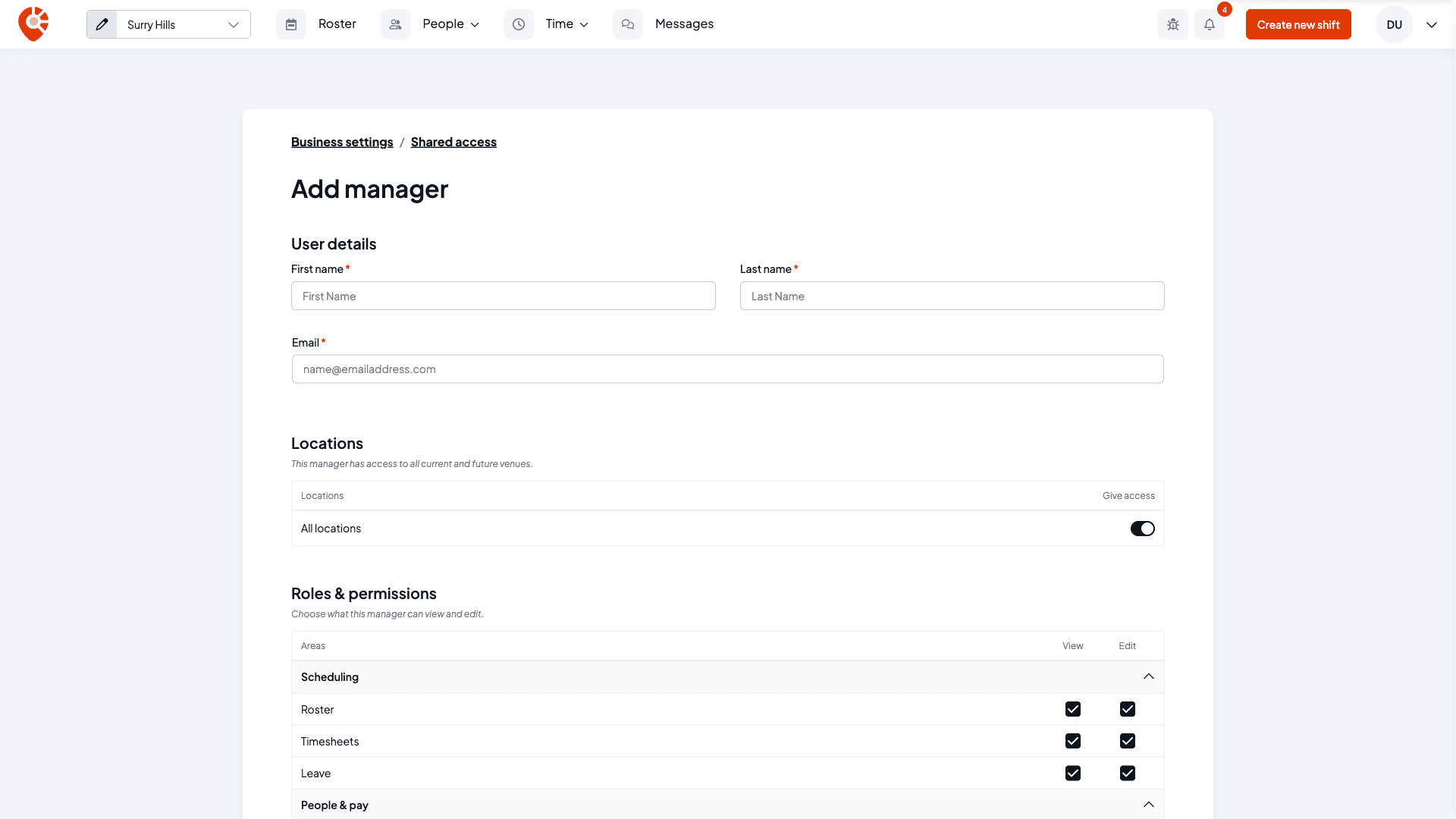
Select Share access to followed by your business name, then enter the person's First name, Last name and Email on the Add manager page.
Under Locations, leave All locations on to give them every current and future venue. Switch it off to choose venues one by one: every venue is listed switched on, so turn off the ones they shouldn't manage.
Choose what they can do
Roles & permissions sets what they can see and change. Everything starts ticked, so untick what they shouldn't have. The areas are:
- Scheduling: Roster, Timesheets, Leave
- People & pay: Employee profiles, Pay & labour cost, TFN & bank details, Sign-in code recovery
- Business: Pay rules, Business settings, Manage team access, Kiosks
- Insights: Sales figures
- Communication: Messaging
Each has a View and an Edit box. Ticking Edit turns View on too, and clearing View clears Edit. If you're a manager yourself, you can only give access you have.
Select Send invite. They'll get an email with a link to sign in.
Track the invite
The person appears on the Shared Access list. If they don't have a Shiftly account yet, their status is Pending until they accept. If the email already belongs to someone with a Shiftly account, they get access straight away and show as Active.
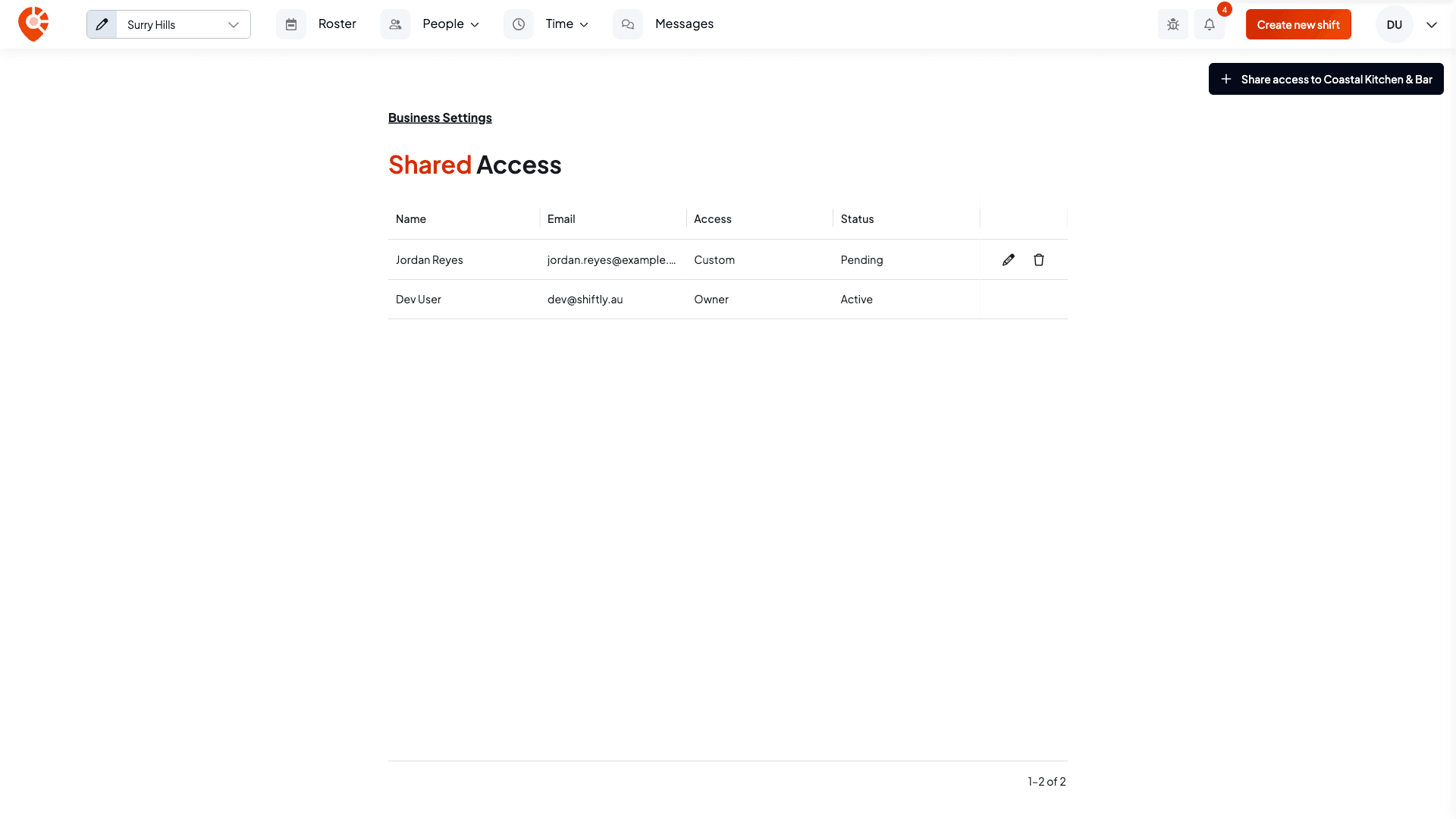
You can't invite yourself, or anyone who signs in to your business's own account, as a manager. To change or withdraw an invite later, see Change or remove a manager's access.
Related
Managers & access
Bring other managers in to help run your business and scope exactly what they can see and do: invite managers, choose their locations, and change or remove access any time.
Change or remove a manager's access
See everyone who can manage your business, change which venues each manager covers and what they can see and change, or remove their access.