
Choose what Shiftly tells you about
Turn on push notifications so you hear about new rosters, shift changes and shift reminders.
Shiftly Me can tell you when your roster changes so you're not checking the app to find out. This guide covers turning push notifications on.
Who this is for
Staff using the Shiftly Me app on their phone.
Turn on push notifications
The first time you open your Roster, Shiftly Me asks whether you want push notifications, and shows you exactly what they cover:
- New roster alerts: a new roster has been published.
- Shift or roster changes: something you're rostered on has moved or changed.
- Shift reminders: a nudge before a shift starts.
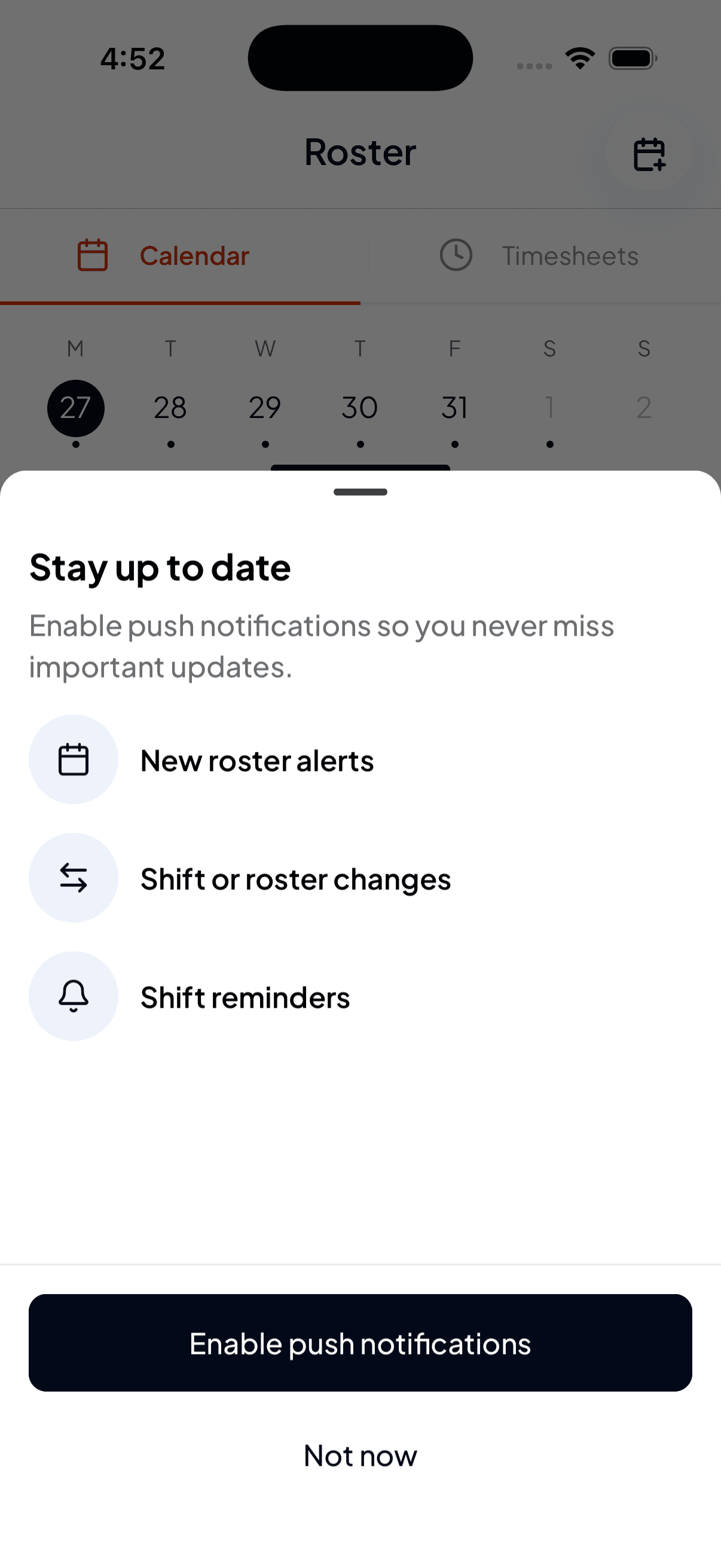
Choose Enable push notifications to turn them on. Your phone then asks for permission. Say yes and you're set.
If you said "Not now"
Tapping Not now dismisses the prompt and nothing changes. You can still use the app normally; you just won't be notified about roster changes until you turn notifications on.
To turn them on later, use your phone's own settings: Settings → Shiftly Me → Notifications, and switch Allow Notifications on.
Turning notifications off doesn't change your roster or your shifts. It only changes whether your phone tells you about them, so it's worth leaving on if your shifts move around.