
Pick up an extra shift
Find shifts nobody's rostered on and put your hand up for them in Shiftly Me.
When your manager has a shift with nobody on it, they can open it up to the team. If it suits you, put your hand up. Asking doesn't guarantee it's yours: your manager still decides.
Who this is for
Staff using the Shiftly Me app on their phone.
Find what's going
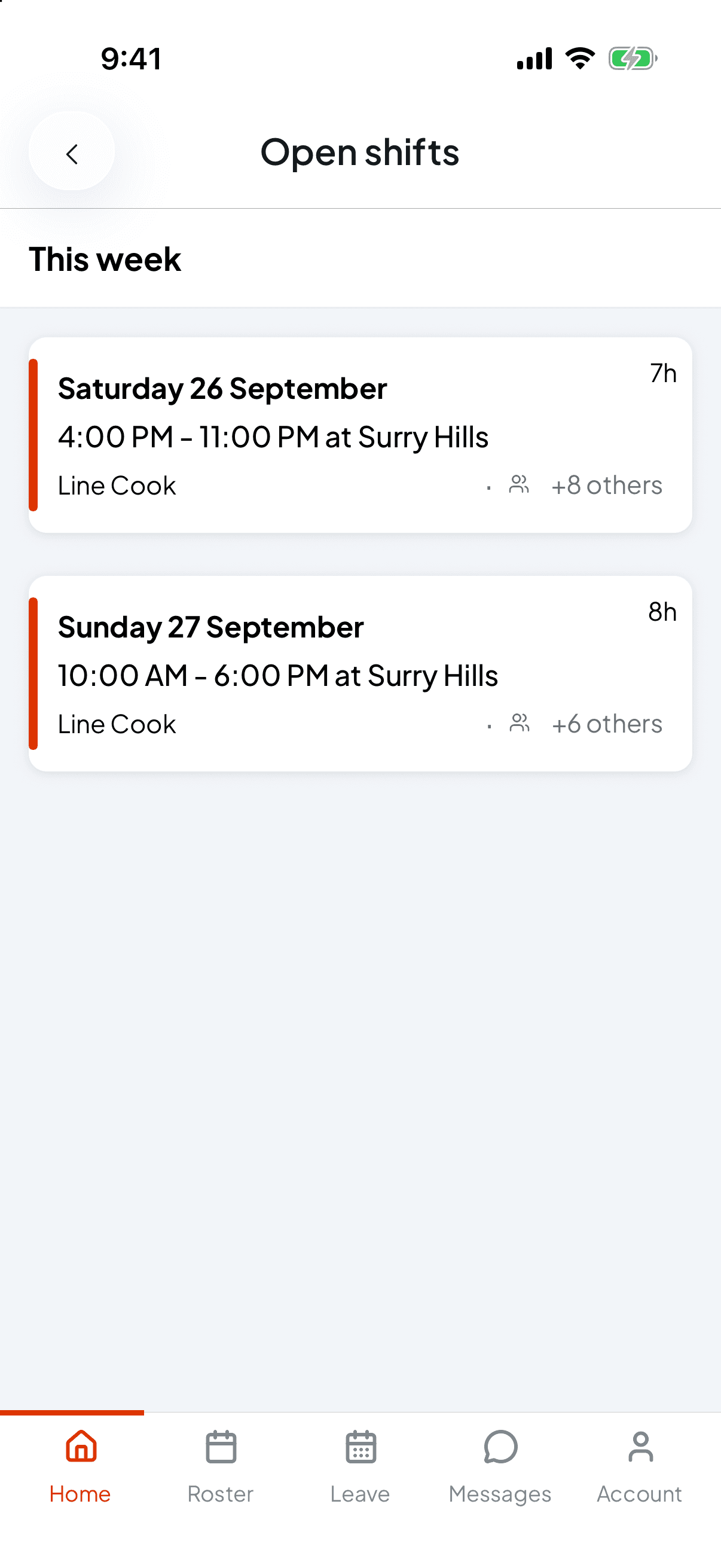
Open shifts show on your Home screen as a count, for example You have 2 open shifts available. Tap it to see them.
You only see shifts in a position you can work, at a time when you're not already rostered on.
Shifts are grouped by week. Each card shows the day, the time, the venue, the length and the position. The count with the people icon, such as +8 others, is how many other people are rostered at that venue that day.
A shift at a time you've said you can't work still shows, marked with a lock. You can still ask for it. See Tell your manager when you can work.
Put your hand up
Open the shift
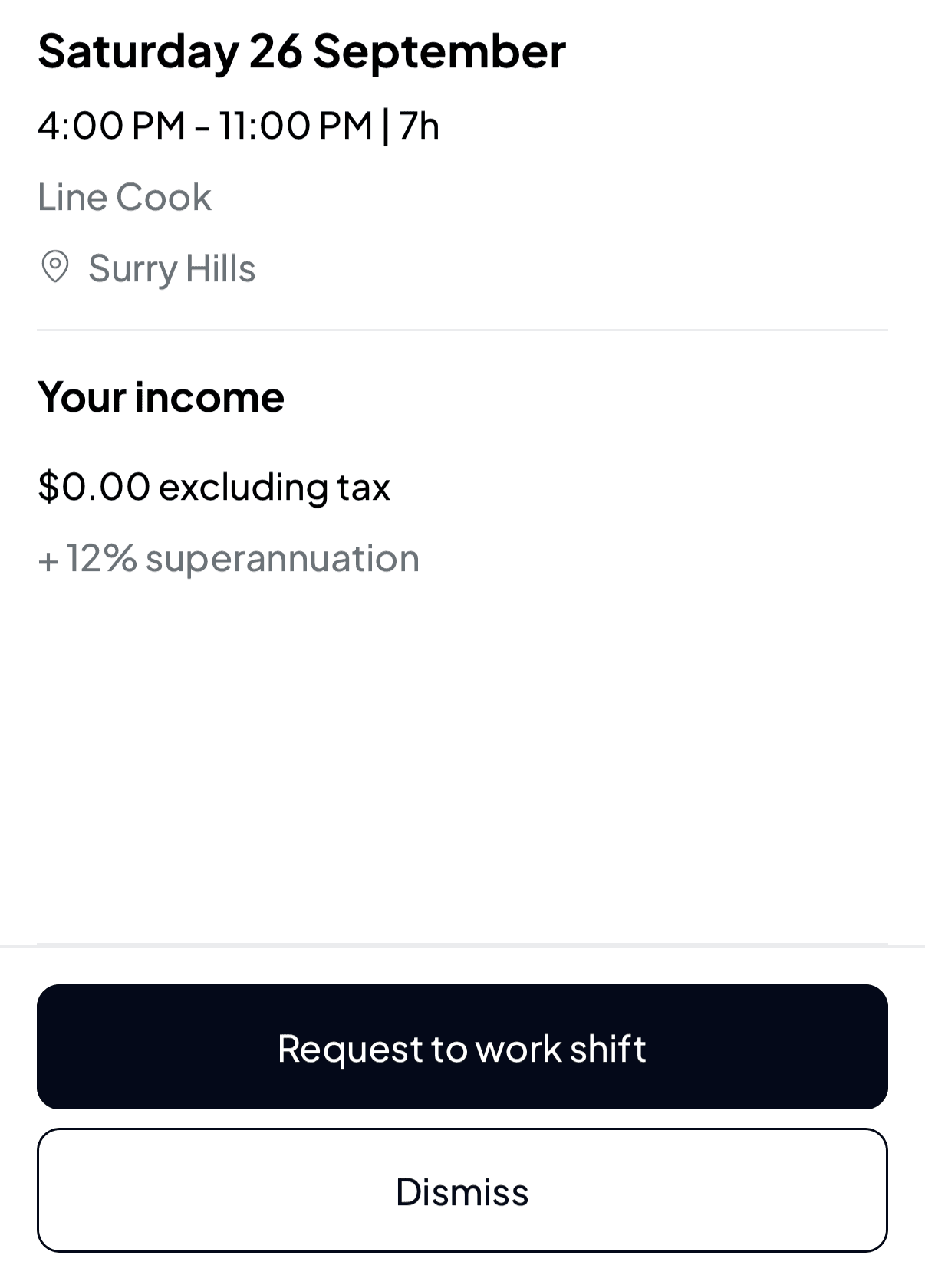
Tap a shift to see its Shift details: the date, times and length, the position and the venue, and Your income if your workplace shows pay.
Request it
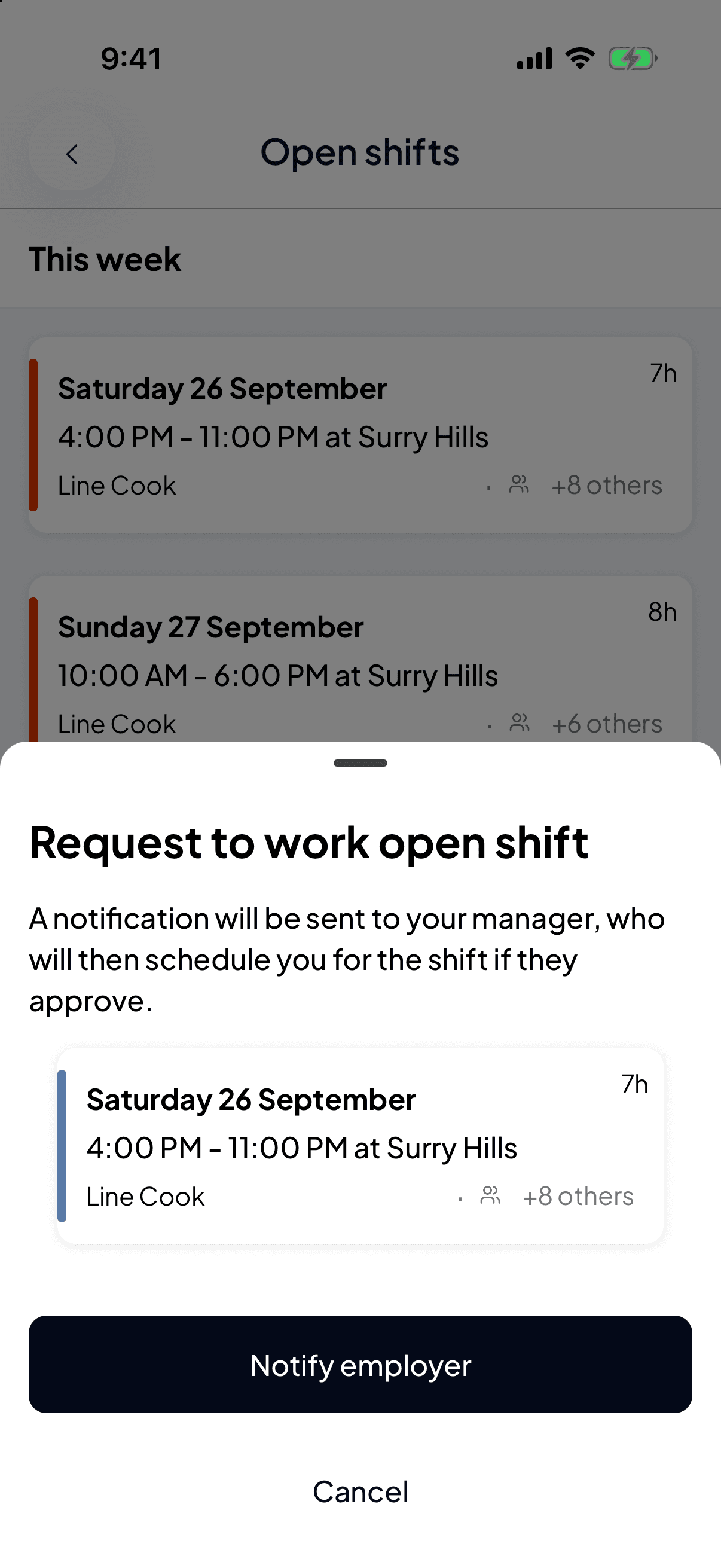
Tap Request to work shift. Shiftly Me explains that a notification will be sent to your manager, who will then schedule you for the shift if they approve. Tap Notify employer to send it, or Cancel.
If the shift is marked with a lock, the confirmation also shows a warning with your availability rule, such as You're unavailable 9am – 5pm every Friday, any comment you left on it, and Your manager will see this with your request. You can still send it. Your manager sees a warning beside your request, and still decides who gets the shift.
Not interested? Dismiss just closes the details.
Once you've asked, you'll see Shift request sent, and for a shift you're unavailable for, a second message repeats the warning. The shift stays in the list, greyed out with a tick, and its button reads Requested.
If someone else got there first, you'll see This shift has already been filled. If it clashes with another shift of yours, you'll see You already have another shift during this time.
Requesting isn't the same as getting it. Your manager sees everyone who asked and picks one person. If that's you, the shift appears on your roster once they publish it. Other requests for the same shift are then turned down.
Nothing showing?
If there are no open shifts, you'll see No open shifts right now, check again after a cuppa.
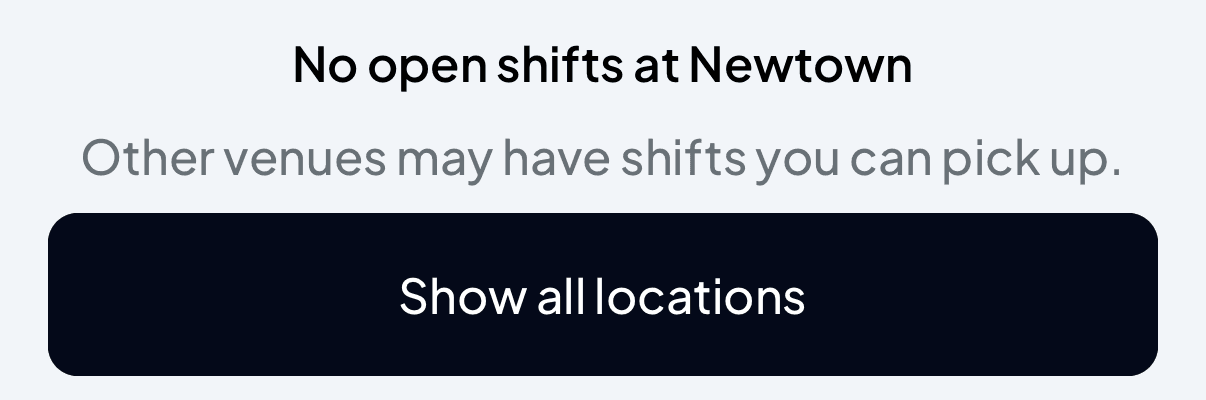
If you've filtered Shiftly Me to one venue, you'll see No open shifts at and that venue's name. Other venues may still have some, so tap Show all locations. See Work at more than one venue or business.
Related
Tell your manager when you can work
Add rules for the times you can't work, or the only times you can, for one date or on repeat, and see them on your roster.
Get someone to cover your shift
Ask a colleague in Shiftly Me to take a shift you can't work, and accept or turn down a request to cover someone else's.