
Rate overrides & allowances
Adjust an employee's pay rate and override individual category rates from their profile's Payroll tab.
An employee's pay comes from their Payroll tab. From here you can set their base rate, add a percentage or fixed increase, and override individual category rates (weekday, weekend, overtime and so on) for this one person.
Who this is for
Owners and managers using the Shiftly web platform.
Before you start
- Open a staff member's profile from People, then open the Payroll tab.
- The person needs an award code set. See Classifying staff.
Everything on the Payroll tab is a support tool: the rates are estimates. Always verify pay against your payroll provider.
Set the base rate
Open the Payroll tab
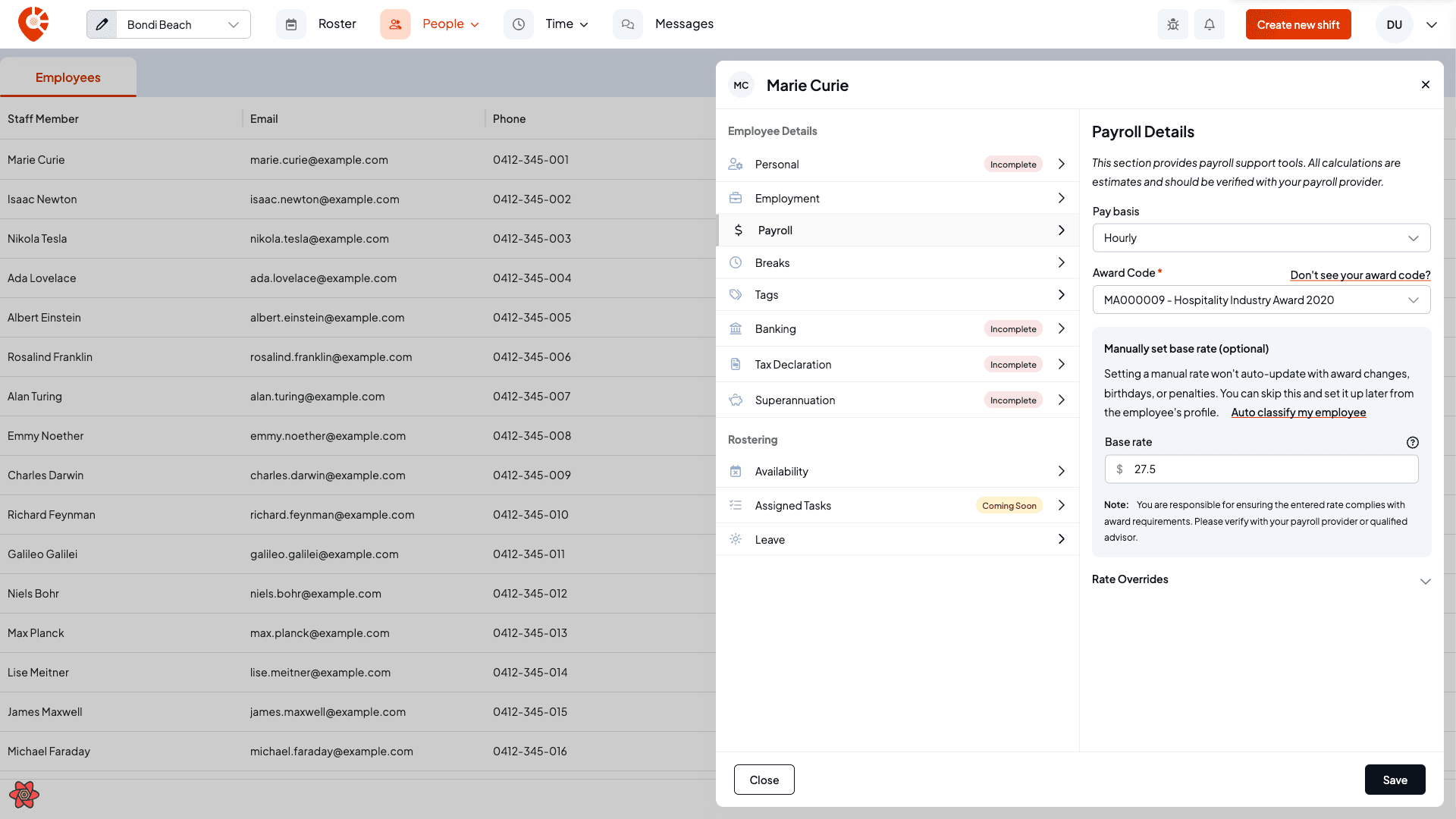
The Payroll Details panel shows the award code, the employee's base rate, and the rate-override controls. You can set a rate yourself under Manually set base rate, or Auto classify my employee to have Shiftly AI work it out.
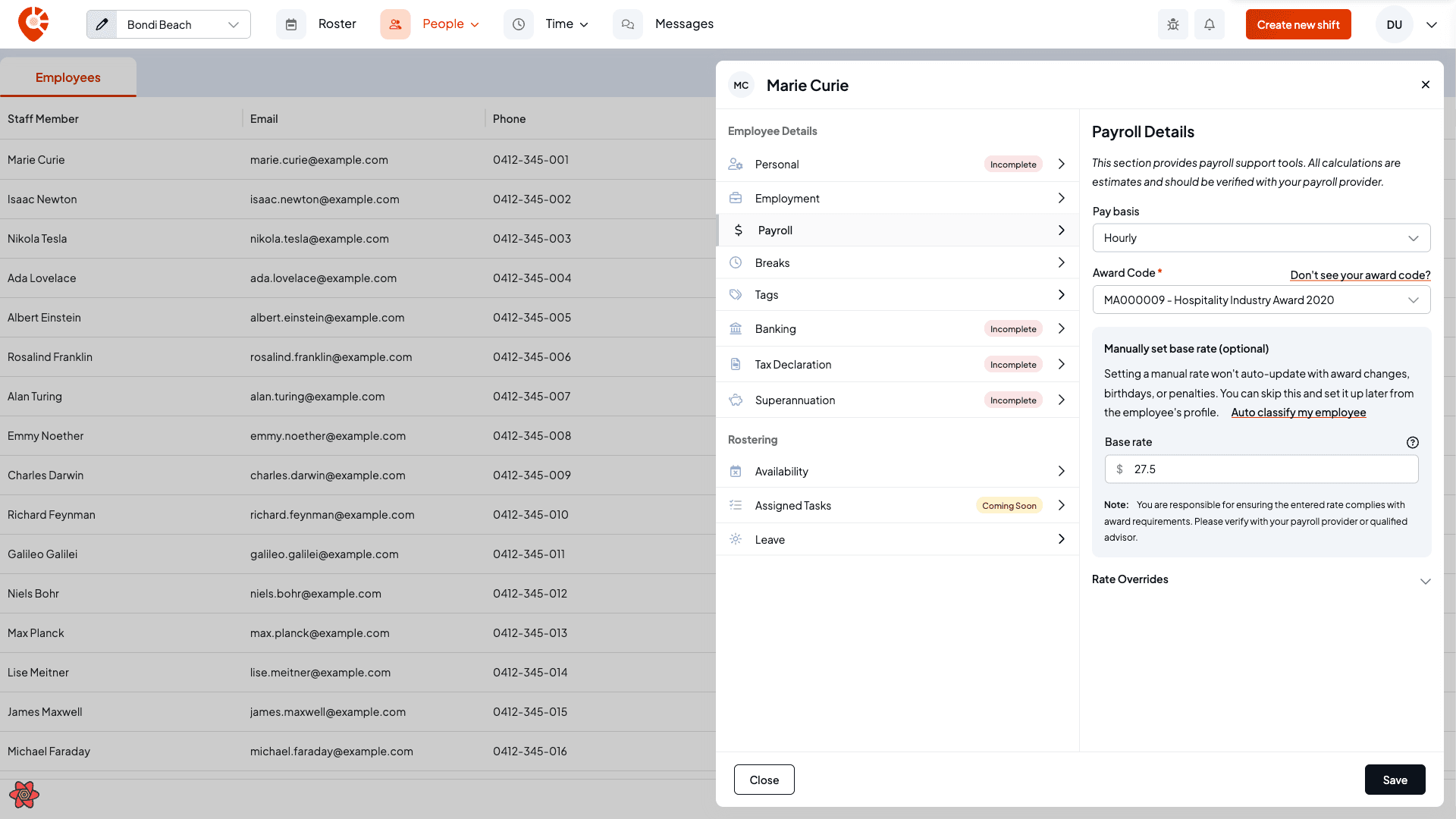
When an employee is classified against their award, the base rate also offers a variable percentage or fixed dollar increase on top of the award rate. For a casual employee, the rate shown includes casual loading. See Classifying staff for the full classifier.
Override category rates
Open Rate Overrides
Expand Rate Overrides to set a specific rate for individual categories: ordinary weekday, late nights, early starts, Saturday, Sunday, public holiday, and the overtime tiers.
Empty fields use your business pay rules (or the award baseline if you haven't set custom rules), so only the fields you fill in override the calculated rate.
Watch for the below-minimum warning
If you enter an override that's below the estimated award minimum, Shiftly flags it with a warning and the minimum it expected, so you can check the rate is compliant before saving.
Allowances apply to the employee's timesheets rather than changing their hourly rate. You choose them when you classify the employee. For the full picture of pay rules and allowances across your business, see Adjust an employee's pay rate.
Related
Classifying staff
Set an employee's award classification and base rate.
Adjust an employee's pay rate
Manage pay rules and allowances across your whole business.
The employee profile
Every tab of a staff member's profile, including Payroll.
On the Shiftly website
Award interpretation
Automatic award rates and penalties.
Classify staff and set their pay rate
Set an employee's award classification and pay rate, automatically with Shiftly AI or by entering a rate yourself.
Update an employee's details and sign-in
Open a staff member's profile to manage their personal details, employment, pay, breaks, venues, bank, tax, super, sign-in, availability and leave.