
Removing staff
Remove a staff member, and understand what happens to their shifts and records, including when they're also a manager.
When someone leaves, you can remove them from your team. What happens next depends on whether they're only an employee, or also a manager. Removing a staff member cannot be undone.
Who this is for
Owners and managers using the Shiftly web platform.
Before you start
- You're an owner or a manager.
- Open People from the main navigation.
Remove a staff member
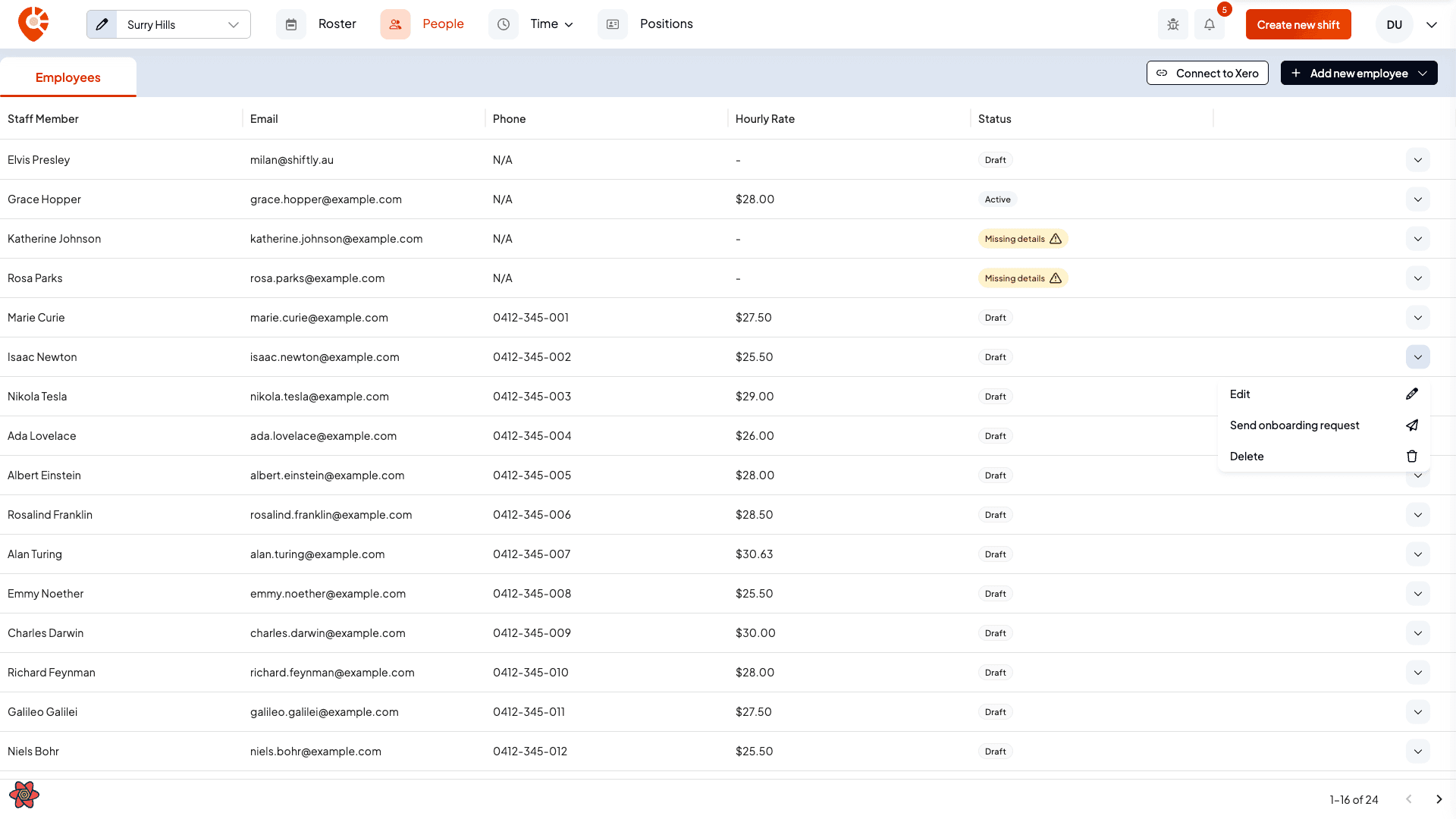
Confirm the removal
For a regular employee, Shiftly confirms that you're removing them from the system and that all shifts assigned to them will be marked as 'Unpublished'; their timesheets stay in place for payroll. This can't be undone.
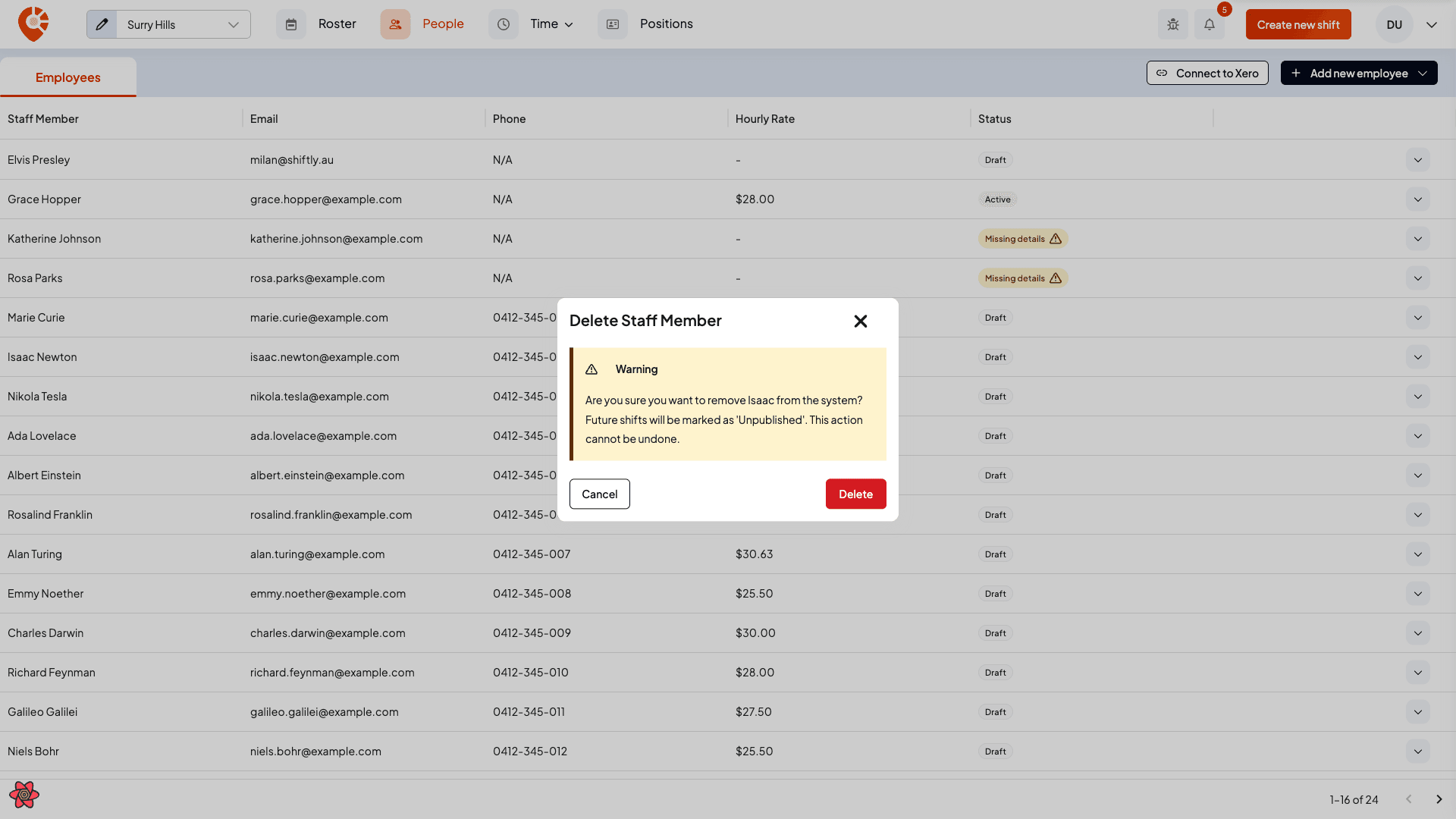
Removing them also unassigns them from their shifts and clears their employment, tax declaration, bank account, super and availability, along with any pending shift swaps, open-shift requests and onboarding request.
When the person is also a manager
If the person you're removing is also a manager, the confirmation is different: it's headed Remove Employee Record and explains:
Their manager access will remain and they'll still be able to log in, but their employment, tax declaration, bank account, super and availability will be removed, and all shifts assigned to them will be unpublished (their timesheets will remain).
So removing the employee side of a manager doesn't lock them out: they keep their manager access and login. To remove that as well, manage it from Share access. See Sharing access.
Removing a staff member can't be undone. All shifts assigned to them are unpublished and unassigned (their timesheets remain for payroll), and their employment records are deleted.
Related
Make a staff member a manager
Give one of your staff manager access, and choose exactly which venues they cover and what they can see and change.
Payroll & awards
Get pay right before it reaches your payroll provider: classify staff under their award, customise pay rules, override rates, and set public holidays so Shiftly's estimate is accurate.