
Onboarding new staff
Send an onboarding request so a new staff member completes their own details, tax, bank and super, then track it until they're active.
An onboarding request emails a new staff member a secure link to fill in their own details: personal details, tax declaration, bank account and super. You set the employment details up front; they complete the rest.
Who this is for
Owners and managers using the Shiftly web platform whose access includes editing Employee profiles.
Before you start
- Open People from the main navigation and choose Employees.
- Decide the person's employment type, basis and income type, which the form requires. Have a pay rate or classification ready too: the form lets you skip it, but a request sent from their row on the People list can't go without one.
Send an onboarding request
Start the request
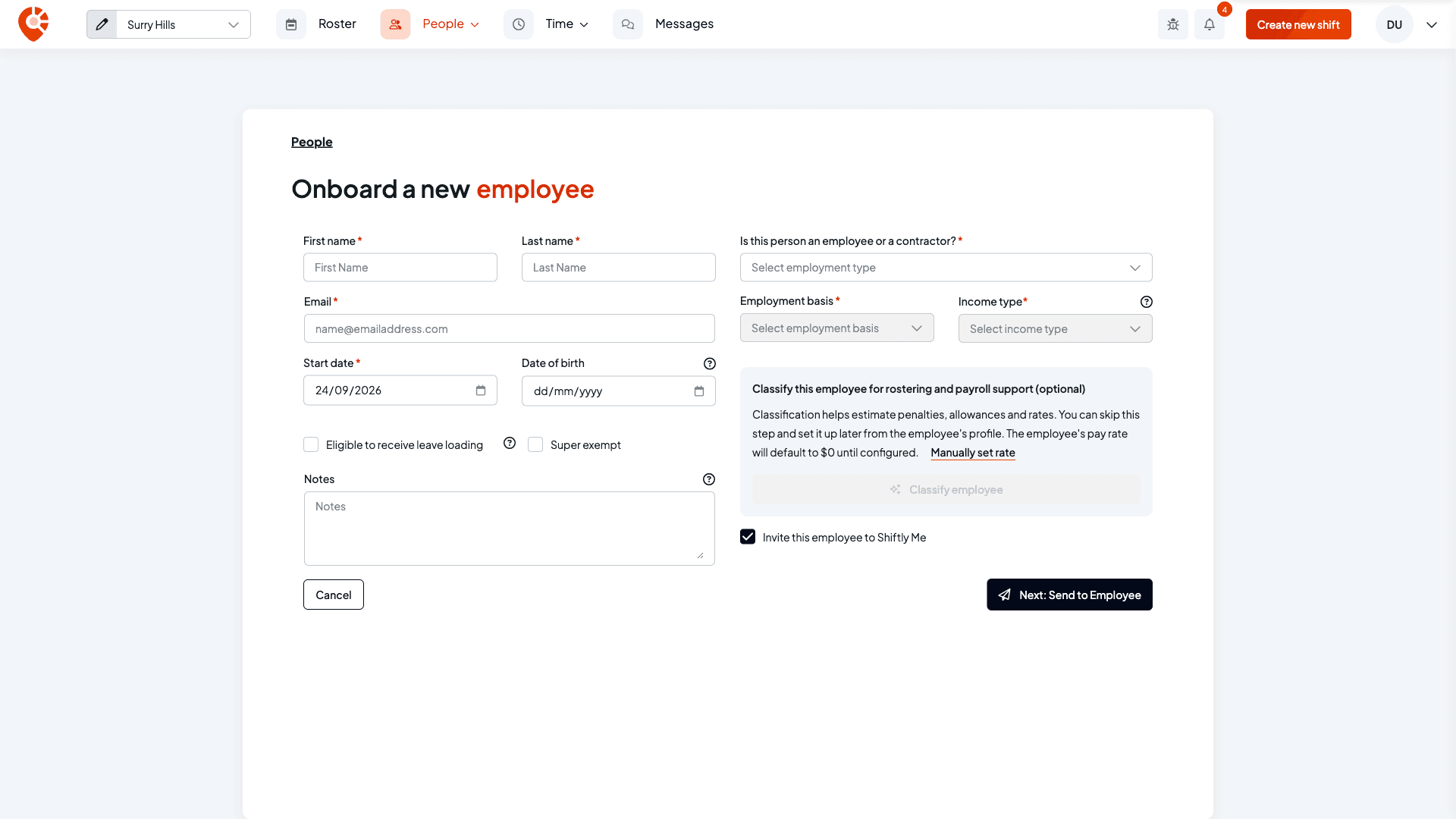
Select Add new employee, then Send onboarding request. The Onboard a new employee page opens. Fill in the new starter's name, email and start date, set their employment type, basis and income type, and give them a rate (classify them or set a base rate manually). Then select Next: Send to Employee.
Or send one to someone already on your list
For someone already on the People page as Draft or Missing details, open the menu at the end of their row and select Send onboarding request, then confirm. The employment type, basis, income type and a pay classification or rate must be filled in first. If any are missing, Shiftly tells you which and opens their profile so you can complete them.
If a payroll provider is set up, you can choose Send & sync to your provider, so they're added to payroll once they finish, or Send without syncing.
What the employee receives
The person gets an email with a link to a short, guided form.
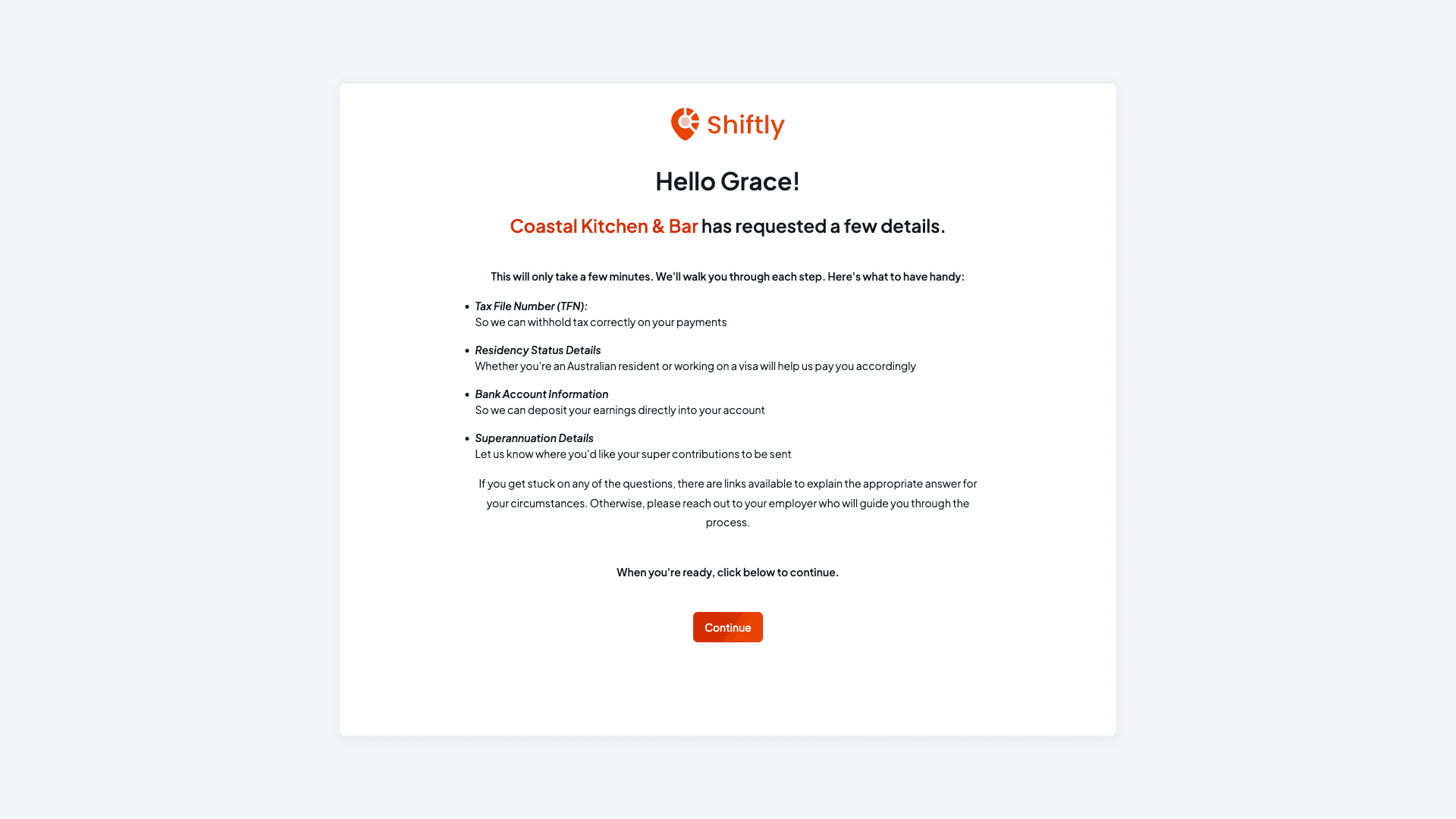
A welcome and a checklist
The link opens with a welcome and a list of what to have handy: their tax file number, residency status, bank account and super details.
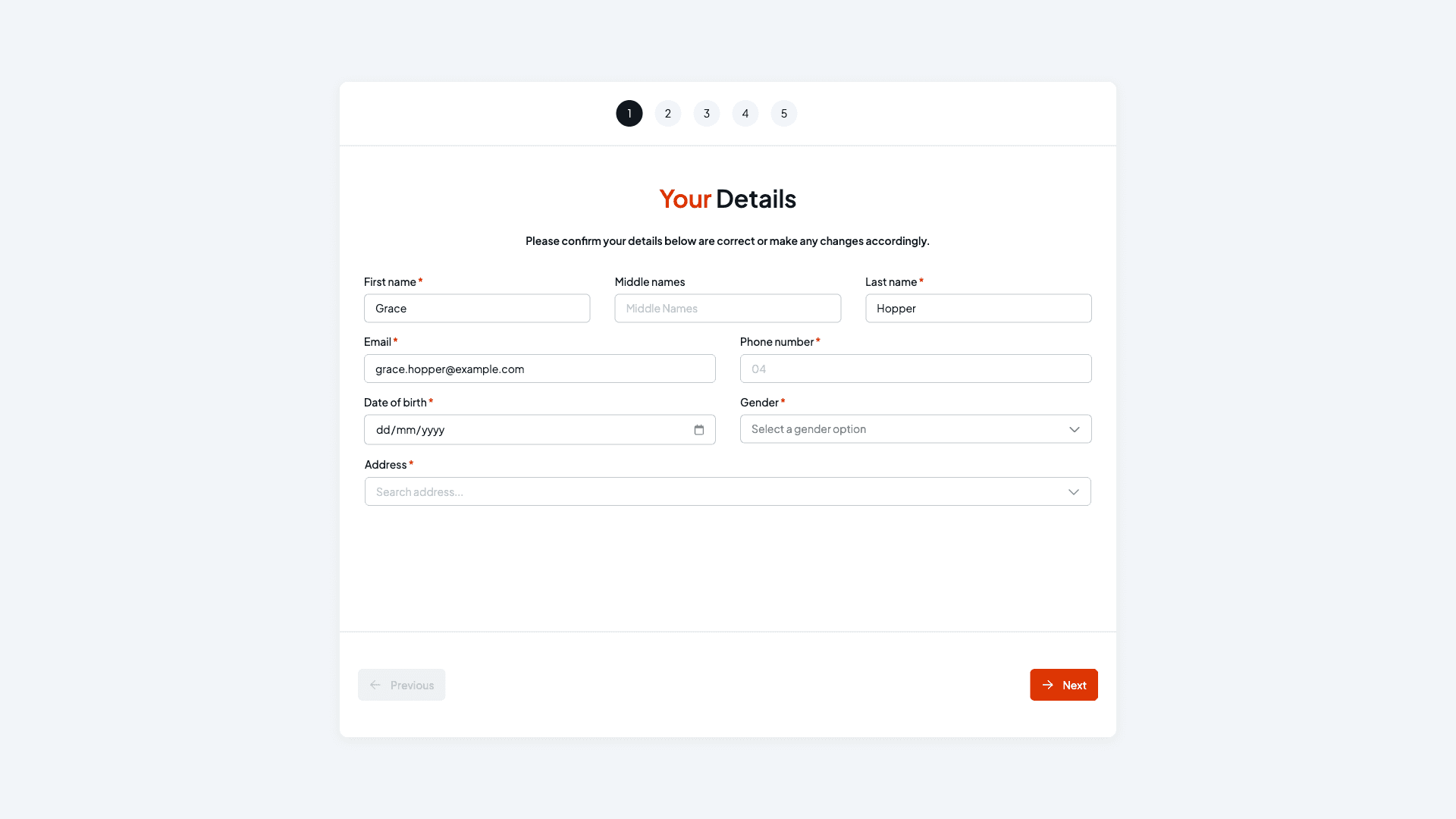
Five steps to complete
They work through their details, employment, tax declaration, bank details and, where it applies, super (it's skipped for labour-hire and super-exempt employees). Each step explains the tricky questions.
Track it and send a reminder
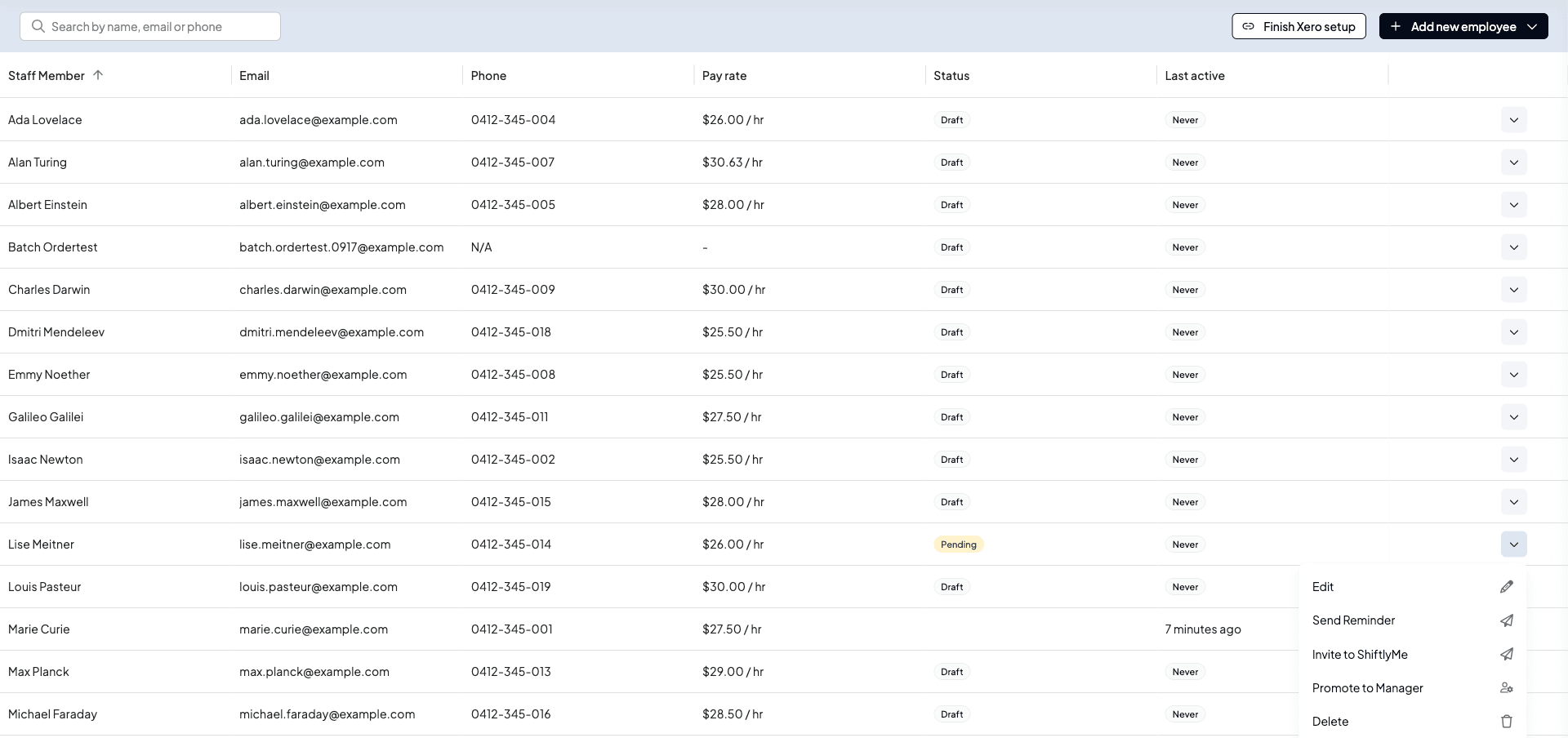
Until the employee finishes, their row shows Pending. To nudge them, open the menu at the end of their row and select Send Reminder.
When they finish, the managers of their location get an Onboarding complete notification and email. If their details couldn't be added to your payroll provider, it's Onboarding failed instead, so you can check their details and try again.
What each status means
- Draft: you added the person without sending a request. Send one when you're ready.
- Pending: the request has been emailed and you're waiting on the employee.
- Missing details: some of their profile details still need filling in.
- Active: they've completed onboarding and are ready to roster and pay.
When a payroll provider is set up, you may also see Sync failed (select Retry) or Out of sync (select Re-sync user to bring their details across from payroll again).
Accountants and bookkeepers who manage businesses for their clients also see an Email Tracking column, which shows whether each onboarding email was sent, delivered, opened, clicked or bounced.
Related
Add staff and invite them to Shiftly Me
Add a staff member and choose how they're onboarded.
Classifying staff
Set the pay classification an onboarding request needs.
Update an employee's details and sign-in
Review and finish a staff member's details.
On the Shiftly website
Paperless onboarding
Digital new-starter setup.