
Change your business name, ABN or award
Update your business name and ABN, switch or add the award that covers your team, or delete a business you no longer use.
Your business name, ABN and award live on the Business Details page. This guide covers updating them, changing the award that covers your team, and deleting a business.
Who this is for
Owners and managers using the Shiftly web platform who can change business settings.
Before you start
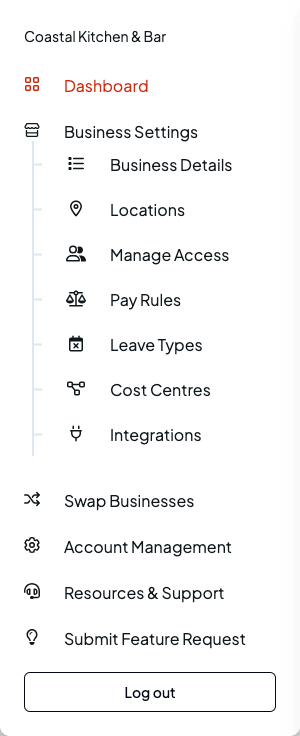
- Open the account menu (your initials, top right) and choose Business Settings, or go straight to Business Details under it.
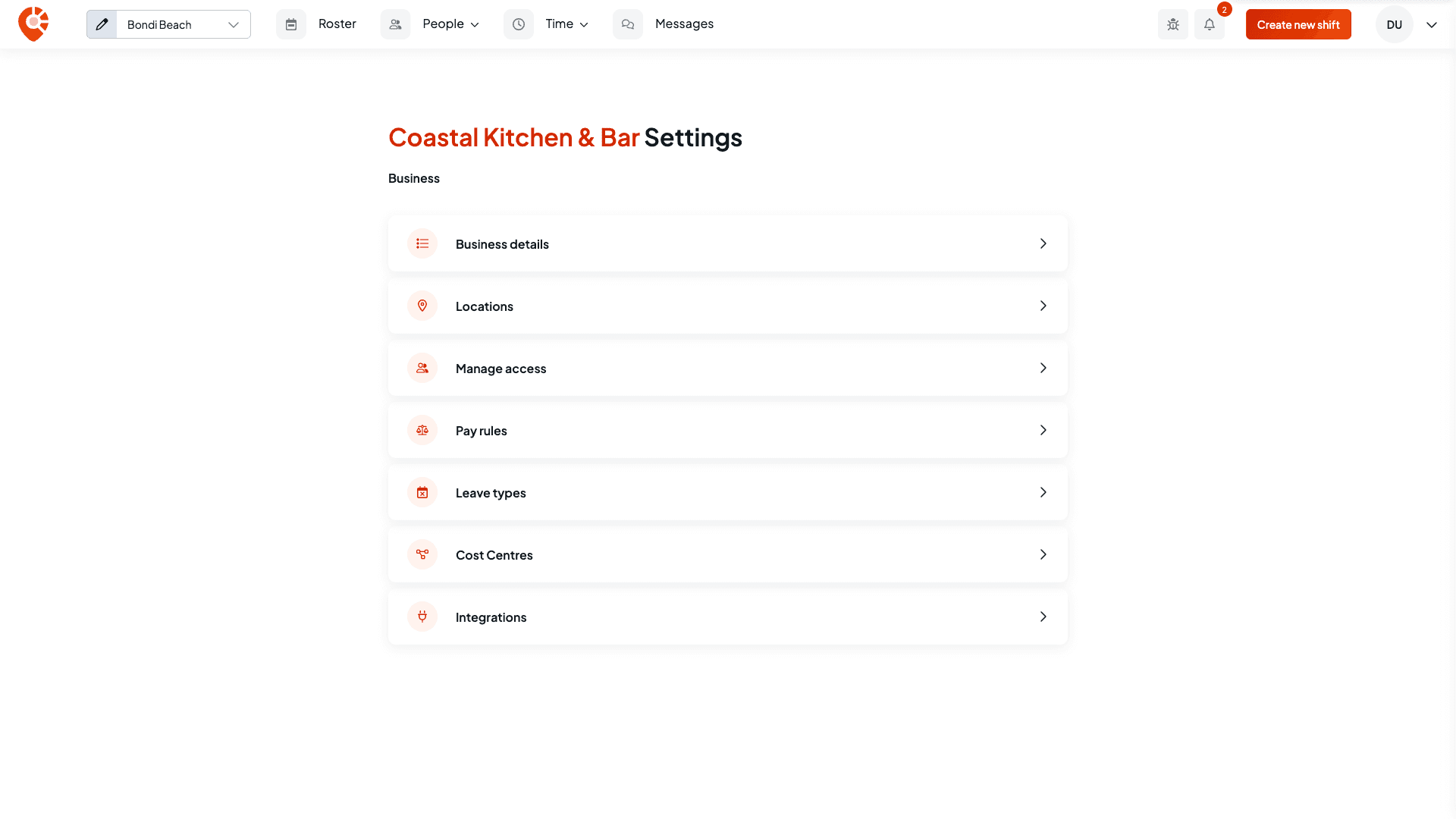
Business Settings is the hub for your business-wide setup. It has cards for Business details, Locations, Manage access, Pay rules, Leave types, Tags for tracking labour cost, and Integrations. Select Business details.
Update your ABN and business name
Enter your ABN first
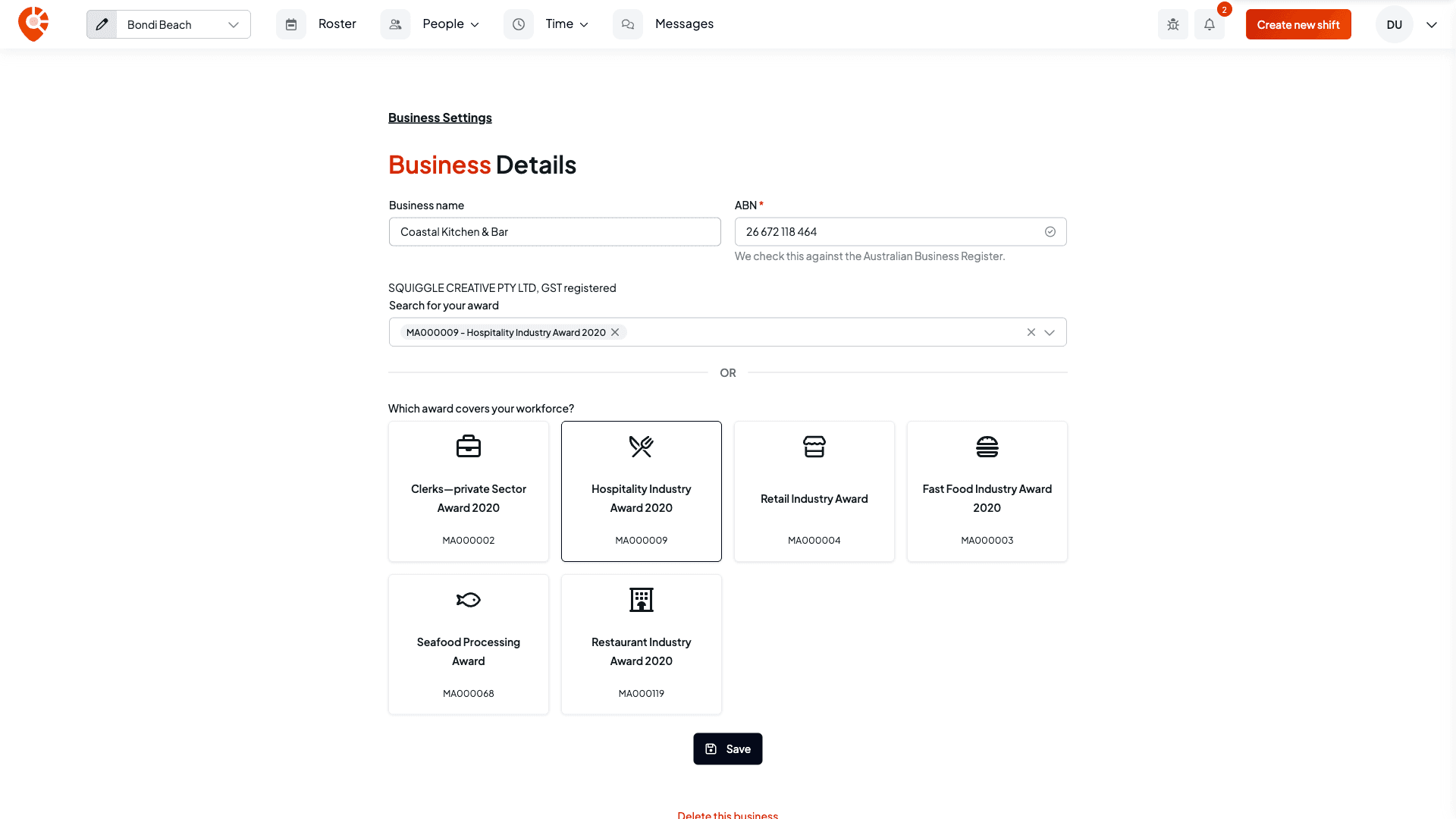
In ABN, enter your 11-digit Australian Business Number. Do this before any other change on the page: the ABN check reloads the page's details, which clears changes you haven't saved yet.
When you click out of the ABN field, Shiftly checks the number against the Australian Business Register (ABR). You'll see "Checking the ABR…" while it looks, then a tick in the field and the registered business name with its GST status underneath, for example "SQUIGGLE CREATIVE PTY LTD, GST registered". The registered name can differ from the name you trade under. The ABN is saved as soon as that check finishes, so you don't need to select Save for it.
If the ABN is already registered to another business on Shiftly, you'll see a message asking you to contact Shiftly so the team can sort it out.
Change the name and save
Change the Business name if you need to, then select Save. You'll see "Business updated successfully". The ABN field must be filled in before you can save.
If your business and the location you have selected share the same name, renaming the business renames that location too, so they stay in step.
This is your business name. Your organisation name, under Account Management → Organisation Details, is separate.
Change or add an award
The award tells Shiftly how to classify your staff and calculate their pay, so changing it is a big change.
Choose the awards
Under Search for your award, search by award name or code, or select one of the cards under Which award covers your workforce? Every award Shiftly supports has a card here except the Broadcasting, Recorded Entertainment and Cinemas Award, which you find through search. A business can have more than one award, so you can add an award as well as swap one out. Remove an award by selecting the cross on its tag.
Save and confirm
Select Save. Because the awards changed, Shiftly asks you to confirm: "This is a destructive change. Staff will need to be reclassified, positions and shifts under current awards will be hidden." You'll see this warning even when you only add an award. Select Continue to apply the change, or Cancel to keep your current awards.
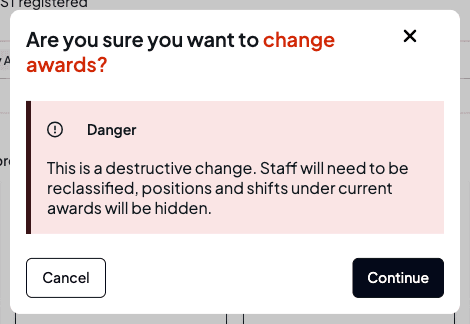
After you change awards, set up positions under the new award and reclassify your staff. Adding an award doesn't hide anything you already have. Removing one does: as the warning says, positions and shifts under a removed award are hidden, and those positions no longer show in your positions list. Shiftly doesn't delete them.
Delete a business
Confirm the deletion
At the bottom of Business Details, select Delete this business. Shiftly asks you to confirm and warns that this cannot be undone. Select Delete to delete the business, or Cancel to keep it.
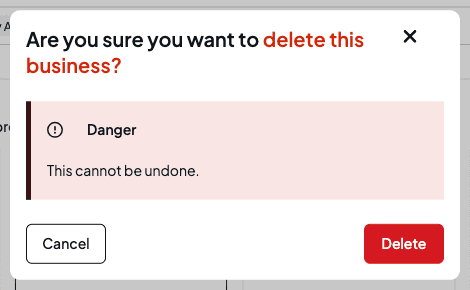
Deleting a business is permanent. Shiftly removes the business and everyone's access to it, cancels its Shiftly subscription, and disconnects its Xero organisation if no other business of yours uses it. Its timesheets are kept on file but can't be reached in Shiftly afterwards. You're then taken back to your list of businesses. Download anything you want to keep first, such as your rosters and timesheets.
Related
Set up your business
Create your business in Shiftly, start from scratch or with sample data, and choose the awards that cover your team.
Add and set up your locations
Add a venue and set its address, timezone, clock-in boundary, default shift times, roster week, approval and labour targets, public holidays, kiosk and employee-app settings.